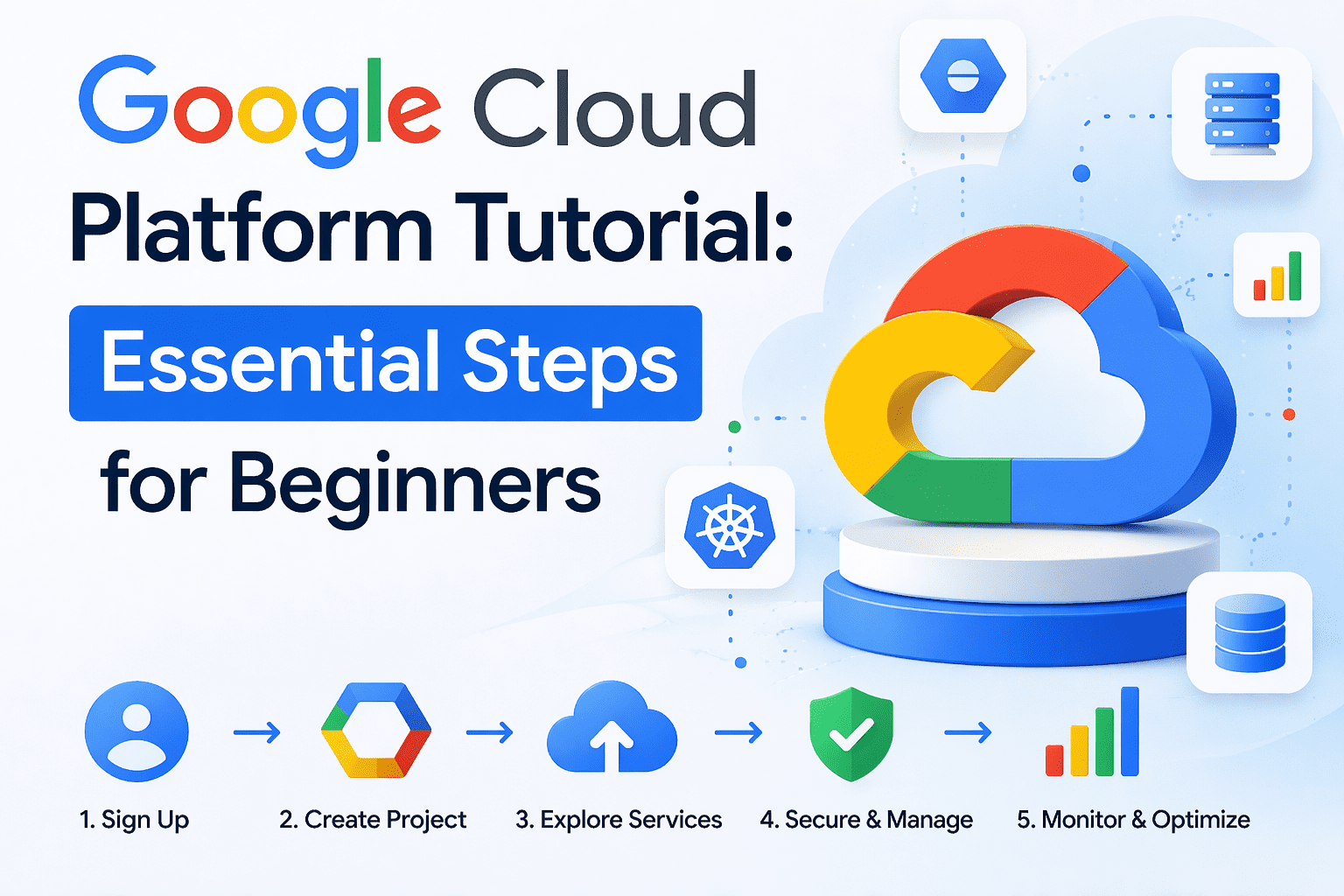
Google Cloud Platform Tutorial
Introduction
Google Cloud Platform (GCP) is a suite of modular services for computing, storage, networking, data analytics, machine learning, and more. Built on the same infrastructure that powers Google’s internal services — Search, YouTube, Gmail — GCP offers global scalability, high availability, and a pay‑as‑you‑go pricing model. This tutorial walks you through the fundamental concepts, core services, and practical steps to get started building applications on GCP. By the end, you will have a solid foundation to design, deploy, and manage workloads on the platform.
Why Choose Google Cloud Platform? – Global Network – 200+ regions and zones across 35+ geographic locations, delivering low‑latency access worldwide.
- Integrated AI/ML – Native services such as Vertex AI and AutoML enable developers to embed advanced analytics without managing separate pipelines.
- Open‑Source Friendly – GCP embraces Kubernetes, Terraform, and many open‑source tools, making hybrid and multi‑cloud strategies seamless.
- Sustainability – Google matches 100 % of its electricity consumption with renewable energy purchases, appealing to environmentally conscious organizations.
Core Compute Services
What is Docker? A Beginner’s Guide to Container Technology
MacBook Air Price Dropsto Record Low on Amazon – New Model
RAM Crisis Hits Samsung Galaxy Phones and Microsoft Surface Laptops, Prices Soar
Compute Engine
Compute Engine provides virtual machines (VMs) with customizable CPU, memory, and boot options. It is ideal for lift‑and‑shift migrations, batch processing, and workloads requiring full OS control.
- Machine Types – Pre‑defined families (e.g., N1, N2, E2) with specific CPU‑to‑memory ratios.
- Custom Machine Types – Define exact vCPU and memory counts to optimize cost.
- Pre‑emptible VMs – Short‑lived instances at up to 80 % discount, suitable for fault‑tolerant jobs.
Example: Deploy a web server on an N2‑standard‑4 VM (4 vCPU, 15 GB memory) in us‑central1‑a using the gcloud compute instances create command.
gcloud compute instances create web-server
  --machine-type=n2-standard-4
  --zone=us-central1-a
  --image=ubuntu-2204-lts
  --metadata=enable-oslogin=TRUE
App Engine
App Engine is a fully managed platform‑as‑a‑service (PaaS) that automatically scales your applications. It supports multiple runtimes (Node.js, Python, Java, Go, PHP, Ruby) and abstracts infrastructure concerns.
- Standard Environment – Fast cold starts, ideal for micro‑services and APIs.
- Flexible Environment – Runs containers on Google‑managed infrastructure, offering more control over runtime.
Example: Deploy a simple Flask app with a single main.py file:
gcloud app create --region=us-central
gcloud app deploy --project=my-gcp-project
Cloud Functions
Cloud Functions is a serverless compute service that executes code in response to events (e.g., file uploads, Pub/Sub messages). It automatically scales to zero and charges per invocation.
- Event Triggers – Cloud Storage, Cloud Pub/Sub, Cloud Scheduler, and more.
- Runtime Options – Node.js, Python, Go, Java, .NET.
Example: Trigger a function when a new object lands in a bucket:
gcloud functions deploy ProcessImage
  --runtime python311
  --trigger-resource=my-bucket
  --trigger-event=google.storage.object.finalize
Kubernetes Engine (GKE)
GKE provides a managed Kubernetes environment for orchestrating containerized workloads. It offers:
- Autopilot – Fully managed clusters where Google handles node management.
- Standard Clusters – Custom node pools for fine‑grained control. – Integrations – Cloud Armor, Cloud DNS, and Cloud Load Balancing.
Example: Deploy a microservice using a Helm chart:
gcloud container clusters create my-cluster --num-nodes=3gcloud container clusters get-credentials my-clusterhelm install my-service ./chart
Storage and Database Services
Cloud Storage Cloud Storage offers durable, highly available object storage with three storage classes:
- Standard – Low‑latency access for frequently used data.
- Nearline – Infrequent access, cost‑effective for backups.
- Archive – Long‑term retention at the lowest price.
Example: Upload a file and set a public read‑only link:
gsutil cp myfile.pdf gs://my-bucket/
gsutil acl set public-read gs://my-bucket/myfile.pdf
Cloud SQL
Fully managed relational databases (MySQL, PostgreSQL, SQL Server) with automated backups, replication, and scaling.
- Instance Types – Small (db‑f1‑micro) to high‑performance (db‑custom).
- Failover – Automatic primary/replica failover for high availability.
Example: Create a PostgreSQL instance:
gcloud sql instances create my-db
  --database-version=POSTGRES_15
  --cpu=2 --memory=8GB
  --region=us-central1
Cloud Spanner
A globally distributed, strongly consistent relational database designed for massive scale. It supports SQL queries, ACID transactions, and horizontal scaling without downtime.
- Schema Flexibility – Add columns or tables on the fly. – Geo‑Replication – Deploy nodes across regions for disaster recovery.
Example: Create a Spanner database with 2 nodes in us‑west1:
gcloud spanner clusters create my-cluster
  --cluster-id=my-cluster-id
  --config=regional-us-west1-config
  --node-count=2
gcloud spanner databases create my-db --cluster=my-cluster
Networking and Security
Virtual Private Cloud (VPC)
VPC provides a customizable network topology within GCP. Key concepts include:
- Subnets – IP ranges isolated per zone.
- Firewall Rules – Control inbound/outbound traffic using tags or service accounts.
- Cloud Router – Enables dynamic routing for hybrid connectivity.
Example: Create a firewall rule allowing HTTP traffic to instances with the web-server tag:
gcloud compute firewall-rules create allow-http
  --target-tags=web-server
  --allow=tcp:80
  --description="Allow HTTP to web servers"
Cloud Load Balancing
GCP offers global HTTP(S), TCP, and UDP load balancers that distribute traffic across multiple regions.
- External HTTP(S) Load Balancer – Terminates SSL at the edge, routes to backend services.
- Internal Load Balancer – Serves traffic within a VPC.
Example: Reserve an IP address for a global HTTP(S) load balancer:
gcloud compute addresses create lb-ip --global
gcloud compute forwarding-rules create http-lb
  --address=lb-ip
  --global
  --target-http-proxy=http-proxy
  --backend-service=backend-service
Identity and Access Management (IAM)
IAM governs who can access which resources. Permissions are granted at the organization, folder, project, or resource level.
- Roles – Predefined (e.g.,
Storage Admin) or custom. - Service Accounts – Identities for applications to access other services.
Example: Grant a user the BigQuery Data Viewer role:
  --member=user:alice@example.com
  --role=roles/bigquery.dataViewer
Data Analytics and Machine Learning
BigQuery
BigQuery is a serverless, highly scalable, columnar database for analytics. It supports standard SQL, machine learning functions, and integrates with Cloud Storage for data ingestion.
- On‑Demand Pricing – Pay per query (TB scanned).
- Materialized Views – Pre‑compute complex queries for faster results. Example: Run a query to analyze sales data:
SELECT
  DATE(event_time) AS day,
  SUM(amount) AS total_sales
FROM `my-project.my_dataset.sales`
GROUP BY day
ORDER BY day DESC;
Vertex AI
Google’s unified AI platform for building, training, and deploying machine‑learning models.
- AutoML – Train custom models with minimal coding.
- Pre‑Built Models – Access state‑of‑the‑art models (e.g., Vision, Text).
- Model Monitoring – Track drift and performance in production.
Example: Train an image classification model using AutoML Tables:
gcloud automl tables create --display-name=product-classifier
gcloud automl tables train
  --display-name=product-classifier
  --training-data-display-name=train-data
  --model-display-name=product-model
Management and DevOps Tools
Cloud Console
A web‑based UI for provisioning resources, monitoring usage, and managing IAM. It offers dashboards, logs, and alerts.
Cloud CLI (gcloud)
The command‑line tool provides scriptable access to all GCP services. Ideal for CI/CD pipelines and infrastructure‑as‑code workflows.
Cloud Monitoring & Cloud Logging – Monitoring – Collects metrics (CPU, memory, latency) and creates alert policies.
- Logging – Centralizes logs from Compute Engine, Cloud Functions, and other services for troubleshooting.
Example: Create an alert policy for CPU utilization > 80 %:
gcloud monitoring policies create
  --condition-metrics='{"metric":{"type":"compute.googleapis.com/instance/cpu_utilization"},"threshold-value":0.8,"comparison":"COMPARISON_GT","duration":"300s"}'
  --display-name="High CPU Alert"
Migration and Hybrid Strategies
Migrate to GCP
Google offers several migration pathways:
- Migrate for Compute Engine – Lift‑and‑shift VMs with minimal downtime.
- Database Migration Service – Seamlessly move from on‑prem MySQL/PostgreSQL to Cloud SQL or Spanner.
- Anthos – Extends GCP services to on‑premises or multi‑cloud environments, enabling a true hybrid cloud.
Anthos Overview
- GKE on‑Prem – Run Kubernetes clusters inside data centers.
- Anthos Migrate – Migrate VMs to GKE or Compute Engine with zero‑downtime cutover.
- Anthos Service Mesh – Provides uniform networking and security across services.
Example: Deploy a hybrid workload using Anthos Migrate:
# 1. Install Anthos CLI
curl -O https://storage.googleapis.com/anthos-google-cloud-sdk/anthoscli
chmod +x anthoscli
./anthoscli install --project=my-gcp-project --region=us-central1
2. Migrate a VM
./anthoscli migrate –source=onprem-vm-01 –target=gcp-vm-01
Cost Management
- Pricing Calculator – Estimate costs before provisioning resources.
- Committed Use Discounts – Reserve CPU or memory for 1‑3 years and save up to 30 %.
- Sustained Use Discounts – Automatically apply discounts for VMs running > 25 % of a month.
- Cost Table Export – Export usage reports to BigQuery for deeper analysis.
Example: Set up a budget alert to notify when spend exceeds $500/month:
gcloud billing budgets create
  --billing-account=012345-6789AB-CDEF01
  --display-name="Monthly Budget Alert"
  --budget-amount=500
  --budget-filter='project="my-project"'
Real‑World Use Cases
| Industry | Scenario | GCP Services Used |
|---|---|---|
| E‑Commerce | Real‑time inventory management and personalized recommendations | Cloud Run, Cloud Spanner, BigQuery, Vertex AI |
| FinTech | Fraud detection with streaming analytics | Cloud Dataflow, Pub/Sub, BigQuery, Cloud Armor |
| Healthcare | Genomic data processing and patient‑level insights | Cloud Storage, Cloud Spanner, AI Platform, Anthos |
| Media | Video transcoding at scale and CDN delivery | Cloud Functions, Cloud Transcoding API, Cloud CDN |
| SaaS | Multi‑tenant application with auto‑scaling | GKE, Cloud SQL, Cloud IAM, Cloud Monitoring |
Best Practices
- Design for Failure – Leverage multi‑region deployments and health checks.
- Use Managed Services – Offload operational overhead to Google (e.g., Cloud SQL, Cloud Spanner).
- Apply Least‑Privilege IAM – Grant only the permissions required for a workload. 4. Implement CI/CD Pipelines – Automate deployments with Cloud Build or Cloud Deploy.
- Monitor Costs Continuously – Set up budgets and alerts to avoid surprise charges.
- Leverage Labels and Tags – Organize resources for cost allocation and governance.
Conclusion
Google Cloud Platform provides a comprehensive, flexible suite of services that empower organizations to build, scale, and innovate with confidence. By mastering core compute, storage, networking, and analytics offerings — and by applying disciplined security and cost‑management practices — developers can accelerate time‑to‑market while optimizing performance and expense. This tutorial has outlined the essential building blocks and practical examples to get started on GCP. As you explore further, consider experimenting with serverless functions, managed Kubernetes, and AI‑driven services to unlock the full potential of the platform. Happy cloud building!