
Table of Contents
Embarking on the journey of Search Engine Optimization (SEO) can feel like navigating a dense forest without a map. The sheer volume of information, technical jargon, and the ever-evolving nature of search engine algorithms can be overwhelming, especially for beginners. Fortunately, a robust ecosystem of SEO tools exists to demystify the process, guide your efforts, and ultimately, help your website rank higher in search results.
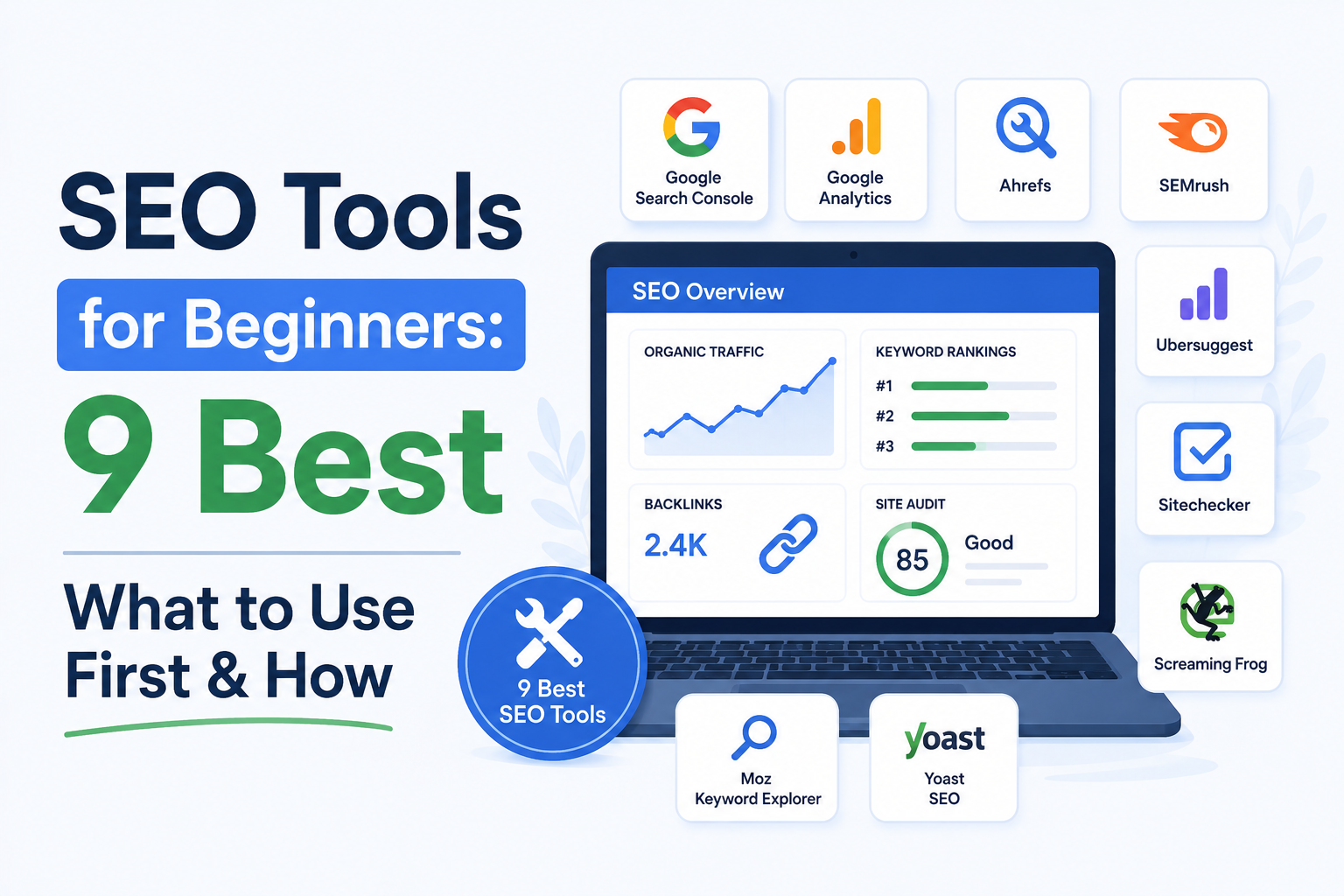
But with so many options available, which ones are truly essential for someone just starting out? This guide will cut through the noise and introduce you to the 9 best SEO tools for beginners. We’ll not only highlight what makes each tool valuable but also provide practical advice on how to start using them effectively. Understanding these SEO tools for beginners is the first step to success.
Table of Contents
- Why Do Beginners Need SEO Tools?
- 1. Google Search Console: The Foundation of Your SEO Efforts
- 2. Google Analytics: Understanding Your Website Visitors
- 3. Google Keyword Planner: Uncovering Search Demand
- 4. Ahrefs Free SEO Tools: Powerful Utilities Without the Price Tag
- 5. MozBar: On-Page SEO Insights in Your Browser
- 6. Screaming Frog SEO Spider: Technical SEO Audit Powerhouse (Free Version)
- 7. AnswerThePublic: Visualizing What People Ask
- 8. Yoast SEO (WordPress Plugin): On-Page Optimization Made Easy
- 9. Google Trends: Understanding Topic Popularity Over Time
- Putting It All Together: A Beginner’s Workflow
- Conclusion
Why Do Beginners Need SEO Tools?
Before diving into the tools themselves, let’s quickly reiterate why they are indispensable for newcomers:
- Understanding Your Audience: Tools help you identify what your target audience is searching for, their pain points, and their search intent.
- Competitive Analysis: You can see what your competitors are doing well and identify opportunities to differentiate yourself.
- Technical Health: SEO isn’t just about content; your website’s technical foundation matters. Tools help identify issues that could be hindering your performance.
- Content Strategy: Tools provide data-driven insights to create content that resonates with both users and search engines.
- Performance Tracking: Measuring your progress is crucial. Tools allow you to monitor rankings, traffic, and other key metrics.
Now, let’s explore the best SEO tools for beginners. We’ll focus on a mix of free and freemium options that offer significant value without requiring a hefty financial investment upfront. These are crucial SEO tools for beginners.
1. Google Search Console: The Foundation of Your SEO Efforts
What it is: Google Search Console (GSC) is a free service offered by Google that helps you monitor, maintain, and troubleshoot your site’s presence in Google Search results. It’s arguably the most crucial tool for any website owner, especially beginners.
Why it’s great for beginners:
- Direct Insights from Google: You’re getting information straight from the source. GSC tells you how Google sees your website.
- Performance Metrics: It shows you which queries people use to find your site, your average position for those queries, click-through rates (CTR), and impressions.
- Indexing Status: GSC helps you understand if Google can crawl and index your pages. It alerts you to any indexing errors.
- Mobile Usability: Crucial for today’s mobile-first world, GSC flags any mobile usability issues.
- Security Issues & Manual Actions: It will notify you if your site has been affected by a security issue or a manual penalty from Google.
- Sitemap Submission: You can submit your sitemap directly to Google, helping it discover and index your content more efficiently.
How to start using it:
- Sign Up: Go to the Google Search Console website and sign in with your Google account.
- Add and Verify Your Property: You’ll need to add your website (domain property or URL prefix). Verification ensures you own the site. Common methods include uploading an HTML file, adding a meta tag to your homepage, or using your Google Analytics account.
- Submit Your Sitemap: Navigate to “Sitemaps” in the left-hand menu and submit your XML sitemap (usually
yourdomain.com/sitemap.xmloryourdomain.com/sitemap_index.xml). - Monitor Performance: Regularly check the “Performance” report to see what queries are driving traffic, which pages are performing best, and identify opportunities for optimization.
- Check Indexing: Visit the “Pages” report to ensure your important pages are indexed and troubleshoot any errors.
- Review Mobile Usability: Keep an eye on the “Mobile Usability” report for any issues.
2. Google Analytics: Understanding Your Website Visitors
What it is: Google Analytics (GA) is a free web analytics service that tracks and reports website traffic. While not strictly an SEO tool, it’s indispensable for understanding the impact of your SEO efforts.
Why it’s great for beginners:
- Traffic Sources: See where your visitors are coming from – organic search, social media, direct, referrals, etc. This helps you gauge your SEO success.
- User Behavior: Understand how users interact with your site: pages visited, time spent on site, bounce rate, conversion rates.
- Audience Demographics: Learn about your visitors’ age, gender, interests, and location.
- Goal Tracking: Set up goals to track conversions (e.g., form submissions, purchases), which are often the ultimate objective of SEO.
- Content Performance: Identify your most popular content and understand which pages are keeping visitors engaged.
How to start using it:
- Sign Up: Go to the Google Analytics website and create an account.
- Set Up a Property: Create a property for your website.
- Install the Tracking Code: You’ll receive a tracking code (or Measurement ID for GA4). Install this code on every page of your website. The easiest way for beginners is often through a WordPress plugin like Site Kit by Google, MonsterInsights, or by adding it directly to your theme’s header.
- Connect with Google Search Console: Link your Google Analytics account to your Google Search Console account. This provides invaluable integrated data, showing search queries alongside user behavior.
- Explore Reports: Start with the “Acquisition” reports to see traffic sources, “Behavior” reports to understand user engagement, and “Conversions” reports once you’ve set up goals.
3. Google Keyword Planner: Uncovering Search Demand
What it is: Google Keyword Planner is a free tool within the Google Ads platform. While designed for advertisers, it’s an excellent resource for SEO beginners to discover keyword ideas and understand search volume.
Why it’s great for beginners:
- Keyword Discovery: Find new keyword ideas related to your business or niche.
- Search Volume Estimates: Get an idea of how many times a keyword is searched per month. Note: You need to run at least one active ad campaign (even with a small budget) to see precise search volume ranges; otherwise, you’ll see broad ranges. However, the relative volume is still useful.
- Competition Levels: See the level of competition for advertising on specific keywords, which can sometimes correlate with SEO difficulty.
- Cost-Per-Click (CPC) Data: Provides an indication of commercial intent. Higher CPCs often mean keywords are more valuable to businesses.
How to start using it:
- Access: Go to the Google Ads website. You’ll need a Google account. You can access Keyword Planner without running ads, but to see more granular data, you might need to set up a campaign (you don’t have to spend money).
- Navigate: Once logged in, go to “Tools & Settings” > “Planning” > “Keyword Planner.”
- Discover New Keywords: Select “Discover new keywords.” Enter seed keywords related to your business, website URL, or category.
- Analyze Results: Review the suggested keywords. Pay attention to:
- Avg. monthly searches: Higher numbers generally mean more potential traffic.
- Competition: Low to medium competition might be easier to rank for initially.
- Refine: Use the filters to narrow down your results.
Beginner Tip: Even if you don’t see exact search volumes, the relative order of keywords by volume is still informative. Focus on keywords with decent search volume that are highly relevant to your content. Many beginners find this tool essential for initial keyword research. This is one of the most fundamental SEO tools for beginners.
4. Ahrefs Free SEO Tools: Powerful Utilities Without the Price Tag
What it is: Ahrefs is a premium, all-in-one SEO powerhouse. However, they offer a suite of excellent free tools that are incredibly valuable for beginners.
Why it’s great for beginners:
- Website Authority Checker: Quickly assess the Domain Rating (DR) and URL Rating (UR) of your own site and competitors. DR is Ahrefs’ metric for the strength of a website’s backlink profile.
- Backlink Checker: See who is linking to a specific URL and analyze the quality of those backlinks.
- Keyword Generator: Get keyword ideas based on a seed keyword, similar to Google Keyword Planner but often with a different perspective.
- Broken Link Checker: Identify broken internal and external links on your website, which can harm user experience and SEO.
- Website Traffic Checker: Get estimated organic traffic data for any website.
How to start using it:
- Access: Go to the Ahrefs Free SEO Tools page.
- Use Individual Tools:
- Website Authority Checker: Enter your website URL to see its DR and UR. Compare this to competitors.
- Backlink Checker: Enter a competitor’s URL to see their top referring domains and anchor text. This can give you ideas for link-building targets.
- Keyword Generator: Enter a keyword to get a list of related terms with search volume estimates.
- Broken Link Checker: Enter your website URL to find broken links. Fix these promptly.
- Website Traffic Checker: Enter a competitor’s URL to estimate their monthly organic traffic.
Beginner Tip: Use the Website Authority Checker and Backlink Checker to understand the SEO landscape. If a competitor has a high DR and many backlinks, it indicates a strong backlink profile you’ll need to consider when planning your own link-building strategy. These free tools are invaluable for beginners.
5. MozBar: On-Page SEO Insights in Your Browser
What it is: MozBar is a free browser extension from Moz that provides instant SEO metrics for any page you visit.
Why it’s great for beginners:
- On-Page Analysis: See key metrics like Domain Authority (DA), Page Authority (PA), and Moz Spam Score directly in your browser. DA and PA are Moz’s metrics for predicting how well a website or page will rank.
- Keyword Analysis: While browsing, you can perform keyword research and see suggestions.
- Link Metrics: Quickly view the number of inbound links and referring domains for a page.
- On-Page Elements: Highlights important on-page elements like title tags, meta descriptions, header tags, and image alt text.
- Crawlability: Check if a page is crawlable and indexable.
How to start using it:
- Install: Download and install the MozBar extension for Chrome or Firefox.
- Activate: Click the MozBar icon in your browser toolbar to activate it. You may need to log in with a free Moz account.
- Browse: Visit any webpage. MozBar will display a dashboard at the top of the page with key metrics.
- Analyze SERPs: When you perform a Google search, MozBar will overlay DA, PA, and other metrics for each search result.
- Inspect Pages: Click the MozBar icon again while on a page to see a detailed breakdown of on-page elements and link metrics.
Beginner Tip: Use MozBar to analyze the search results page (SERP) for your target keywords. Look at the DA of the top-ranking sites. If they are all very high, it might be challenging to compete initially. Also, use it to quickly check the on-page elements of competitor pages. This is one of the most practical SEO tools for beginners.
6. Screaming Frog SEO Spider: Technical SEO Audit Powerhouse (Free Version)
What it is: Screaming Frog SEO Spider is a desktop-based website crawler that analyzes your website from an SEO perspective. The free version allows you to crawl up to 500 URLs per website.
Why it’s great for beginners:
- Comprehensive Site Audit: Identifies critical technical SEO issues like broken links (404s), redirect chains, duplicate content, missing meta descriptions, and more.
- On-Page Analysis: Extracts key on-page data for each URL, including title tags, meta descriptions, header tags, and word count.
- Site Structure Analysis: Helps you understand how your website is structured and identify any orphan pages or issues with internal linking.
- Redirect Management: Easily spot and manage redirects.
- Customizable: Allows for advanced configuration and data extraction.
How to start using it:
- Download & Install: Download Screaming Frog from their website and install it on your computer.
- Enter URL: In the top bar, enter the URL of the website you want to crawl.
- Crawl: Click “Start.” The software will begin crawling your site.
- Analyze Tabs: Once the crawl is complete (up to 500 URLs for the free version), explore the various tabs:
- Page: Basic information about each URL.
- Status Codes: Identify issues like 404s (Not Found) and redirects.
- Page Titles: Check for missing, duplicate, or overly long/short titles.
- Meta Descriptions: Similar checks for meta descriptions.
- H1s & H2s: Analyze your header tag structure.
- Filter & Export: Use the filters at the top of each tab to isolate specific issues. You can export data to CSV files for further analysis.
Beginner Tip: Focus on the “Status Codes” tab first. Address all 404 errors by either fixing the broken link or implementing a 301 redirect. Then, check the “Page Titles” and “Meta Descriptions” tabs for missing or duplicate entries. This is a critical step for technical SEO beginners. Understanding how to perform a basic technical audit with these SEO tools for beginners is invaluable.
7. AnswerThePublic: Visualizing What People Ask
What it is: AnswerThePublic is a fantastic tool for understanding the questions, prepositions, comparisons, and alphabetical searches people are making around a specific keyword.
Why it’s great for beginners:
- Content Idea Generation: Uncovers a goldmine of content ideas based on real user questions.
- Understanding Search Intent: Provides deep insight into what users really want to know about a topic.
- Visual Data: Presents information in visually appealing charts (questions, prepositions, comparisons, etc.), making it easy to digest.
- Long-Tail Keyword Discovery: Excellent for finding long-tail keywords and question-based queries.
How to start using it:
- Visit the Website: Go to AnswerThePublic.com.
- Enter Your Keyword: Type in a broad keyword related to your niche (e.g., “WordPress SEO,” “healthy recipes”).
- Select Location & Language: Choose your target country and language.
- Explore the Visuals: The tool will generate visualizations:
- Questions: Who, What, Where, When, Why, How.
- Prepositions: For, To, With, Without, Near.
- Comparisons: Vs, And, Or.
- Alphabetical: A-Z lists of related terms.
- Related: Similar search terms.
- Save & Plan: Take screenshots or save the data. Use these insights to brainstorm blog post topics, FAQ sections, or video ideas.
Beginner Tip: Look for clusters of related questions. These often indicate a strong user interest in a particular sub-topic, perfect for creating in-depth guides or tutorials. This is a great way to find content ideas using SEO tools for beginners.
8. Yoast SEO (WordPress Plugin): On-Page Optimization Made Easy
What it is: Yoast SEO is the most popular SEO plugin for WordPress. It helps you optimize your website’s content and technical aspects directly within the WordPress dashboard.
Why it’s great for beginners:
- Content Analysis: Provides real-time feedback on your content’s readability and SEO-friendliness as you write. It suggests improvements for keyword usage, sentence length, transition words, etc.
- Focus Keyword Optimization: Guides you to optimize your posts and pages around a specific focus keyword.
- Meta Tag Editing: Easily edit title tags and meta descriptions for each page and post.
- XML Sitemap Generation: Automatically generates and updates an XML sitemap for your site.
- Breadcrumbs Control: Helps implement breadcrumbs navigation for better site structure and user experience.
- Schema Markup: Adds structured data (Schema) to your site, helping search engines understand your content better.
How to start using it:
- Install & Activate: Go to “Plugins” > “Add New” in your WordPress dashboard. Search for “Yoast SEO,” install, and activate it.
- Run the Configuration Wizard: After activation, Yoast SEO will prompt you to run its configuration wizard. Follow the steps carefully, providing information about your site.
- Optimize Each Post/Page: As you write or edit content, scroll down to the Yoast SEO meta box below the editor.
- Focus Keyphrase: Enter your target keyword.
- SEO Analysis: Review the suggestions (traffic light system) for improving your content based on the focus keyphrase.
- Readability Analysis: Check the suggestions for improving the readability of your text.
- Snippet Preview: Edit your SEO title and meta description to make them compelling for search results.
- Check Sitemaps: Navigate to “SEO” > “General” > “Features” to ensure XML Sitemaps are enabled. You can find your sitemap URL here (usually
yourdomain.com/sitemap_index.xml).
Beginner Tip: Don’t obsess over getting all green lights from Yoast. Use its suggestions as guidance, but prioritize natural writing and user experience. Focus on optimizing for your main keyword and ensuring your meta title and description are clear and enticing. This plugin is one of the most user-friendly SEO tools for beginners.
9. Google Trends: Understanding Topic Popularity Over Time
What it is: Google Trends is a free tool that allows you to explore the popularity of search queries in Google Search across various regions and languages.
Why it’s great for beginners:
- Identify Seasonality: See if interest in a topic fluctuates throughout the year (e.g., “Christmas gifts” spikes in Q4).
- Compare Topics: Compare the relative popularity of different search terms.
- Discover Emerging Trends: Spot rising search terms before they become mainstream.
- Content Timing: Helps you decide the best time to publish content related to seasonal topics.
- Geographic Interest: Understand where a topic is most popular.
How to start using it:
- Visit the Website: Go to Google Trends.
- Enter Search Terms: Type in a search term (or multiple terms to compare).
- Refine: Adjust the region, time frame, categories, and search type (Web Search, Image Search, etc.).
- Analyze the Graph: Observe the interest over time graph. Look for patterns, peaks, and troughs.
- Explore Related Queries: Scroll down to see “Related queries” and “Related topics,” which can offer further content ideas.
Beginner Tip: Use Google Trends to validate keyword ideas from other tools. If a keyword has consistently low or declining interest, it might not be worth pursuing as heavily as one with stable or growing popularity. Understanding trends is key for SEO tools for beginners.
Putting It All Together: A Beginner’s Workflow
Now that you know the tools, how do you integrate them into a practical workflow? This approach ensures you’re using the best SEO tools for beginners effectively.
Phase 1: Foundational Setup & Understanding
- Install Google Analytics & Google Search Console: Get these set up immediately. Link them together for a holistic view.
- Install Yoast SEO (if on WordPress): Configure it and start using its on-page guidance.
- Install MozBar: Use it to get a quick feel for your site’s and competitors’ authority.
Phase 2: Keyword Research & Content Planning
- Brainstorm Seed Keywords: Based on your business/niche.
- Use Google Keyword Planner & Ahrefs Free Keyword Generator: Get initial keyword ideas and search volume estimates.
- Use AnswerThePublic: Dive deep into user questions and find content angles.
- Analyze SERPs with MozBar: Check the authority of top-ranking pages for your target keywords.
- Use Google Trends: Validate keyword interest and check for seasonality.
- Select Target Keywords: Choose a mix of broader and more specific (long-tail) keywords with reasonable search volume and manageable competition.
Phase 3: Content Creation & On-Page Optimization
- Create High-Quality Content: Address user intent thoroughly.
- Optimize with Yoast SEO: Focus on your primary keyword, readability, and compelling meta tags.
- Use Screaming Frog (limited crawl): Run a quick crawl on your new content to ensure no immediate technical errors.
Phase 4: Monitoring & Iteration
- Monitor Google Search Console: Track impressions, clicks, average positions, and indexing status. Identify new queries driving traffic.
- Monitor Google Analytics: Analyze traffic sources, user behavior, and goal completions. See which content is performing best.
- Use Ahrefs Free Tools: Periodically check backlinks to your site and your competitors’ profiles.
- Refine & Repeat: Based on the data, identify areas for improvement, update existing content, and plan new content.
Conclusion
Mastering SEO takes time and consistent effort. The tools listed above are designed to empower beginners, providing the data and insights needed to make informed decisions. Start with the foundational Google tools, leverage the free utilities from Ahrefs and Moz, utilize AnswerThePublic for content inspiration, and streamline on-page optimization with Yoast SEO. These are some of the best SEO tools for beginners to get started.
Don’t get bogged down trying to use every feature of every tool at once. Focus on understanding the core metrics and how they relate to your website’s performance. By consistently applying these SEO tools for beginners to your strategy, you’ll build a solid understanding of SEO and steadily improve your website’s visibility in search engine results. Happy optimizing!
For more in-depth analysis and to understand how your website authority impacts your content strategy, consider reading our guide on How to Analyze Website Authority for Better Content & SEO.
If you’re looking to understand the difference between static sites and blogs for SEO, check out our article on Static vs. Blog: Which Website Type is Best for SEO and Ranking?
To further enhance your content, learn how to Optimize Your Heading Tags for Better SEO Rankings.
If you’re interested in the latest advancements, explore AI Tools Accelerating Small Business Growth – Top Solutions 2024.
For those on a budget, understanding Top Cheap Hosting Companies 2026: Best Affordable Web Hosting Plans is crucial.
Discover the Best SEO Report Generators for WordPress: 8 Top Picks Reviewed to track your progress.
Considering future studies? Check out Best Blockchain Scholarships for International Students in 2025.
And to broaden your understanding of content strategy, explore What Are Content Ideas? Definition, Importance, and Examples.
Have any thoughts?
Share your reaction or leave a quick response — we’d love to hear what you think!
-
 0
0
-
 0
0
-
 0
0
-
 0
0
-
 0
0
-
 0
0
