SlamariSlamariSlamari
  • Web Technologies
  • Web3 & Blockchain
  • Software
  • Scholarships
  • Remote Tech Jobs
  • Phones Review
  • AI & Emerging Tech
Search
© 2026 Slamari Global Tech. All Rights Reserved.
Font ResizerAa
Font ResizerAa
SlamariSlamari
  • Web Technologies
  • Web3 & Blockchain
  • Software
  • Scholarships
  • Remote Tech Jobs
  • Phones Review
  • AI & Emerging Tech
  • Web Technologies
  • Web3 & Blockchain
  • Software
  • Scholarships
  • Remote Tech Jobs
  • Phones Review
  • AI & Emerging Tech
© 2026 Slamari Global Tech. All Rights Reserved.

Home - Software - How to Create a WebView App with a Website for Free and No Coding Knowledge

Software

How to Create a WebView App with a Website for Free and No Coding Knowledge

Faisal Salisu
Last updated: March 16, 2026 3:45 pm
Faisal Salisu
Share
WebView App

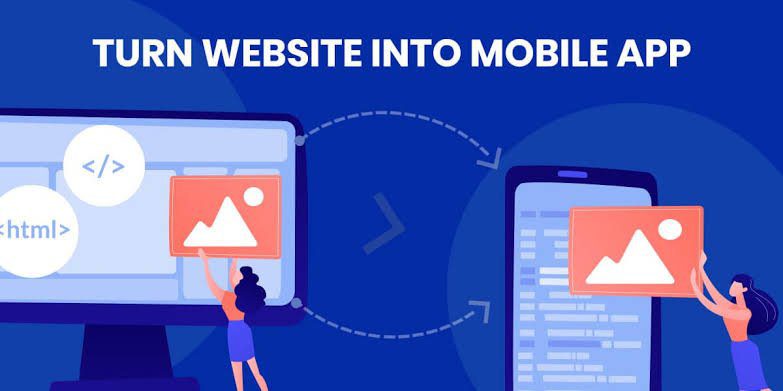
In today’s digital age, having a mobile presence is essential for businesses and individuals alike. How to Create a WebView App with a Website for Free and No Coding Knowledge However, not everyone has the technical expertise or resources to develop a dedicated mobile app from scratch. Thankfully, there’s a simple solution: creating a WebView app that displays your existing website content within a mobile app shell. In this guide, we’ll walk you through the process of creating a WebView app for free and without the need for any coding knowledge.

What is a WebView App?

A WebView app is essentially a mobile application that displays web content using a built-in web browser component. Instead of developing separate apps for different platforms (e.g., iOS and Android), a WebView app allows you to leverage your existing website and its content, making it accessible to mobile users without the need for extensive development.

Step 1: Choose a Platform for App Creation

- Advertisement -
- Advertisement -

Several online platforms offer tools for creating WebView apps without coding. Two popular options are **AppGyver** and **Thunkable**. For this tutorial, we’ll use Thunkable due to its user-friendly interface and ease of use.

Step 2: Sign Up and Log In

Head over to the Thunkable website (https://thunkable.com/) and sign up for a free account. Once you’ve registered, log in to your account to access the platform’s app creation tools.

Step 3: Create a New Project

After logging in, click on the “Create New App” button to start a new project. Give your project a name and choose the appropriate platform (iOS or Android).

Step 4: Design Your App Interface

Next, you’ll be taken to the Thunkable interface, where you can design the layout and functionality of your app. Since we’re creating a WebView app, you’ll only need to add a WebView component to the screen. Drag and drop the WebView component from the palette onto the canvas.

Step 5: Configure the WebView Component

- Advertisement -

With the WebView component added to your app, you’ll need to configure it to display your website. Select the WebView component on the canvas, and in the properties panel, enter the URL of your website in the “Home URL” field.

Step 6: Customize Your App (Optional)

While a basic WebView app will display your website content effectively, you can further customize your app’s appearance and functionality using Thunkable’s built-in tools. Add branding elements, navigation menus, or additional features to enhance the user experience.

Step 7: Preview and Test Your App

Before publishing your app, it’s essential to preview and test it to ensure everything functions as expected. Thunkable provides a preview mode that allows you to see how your app will look and behave on a mobile device. Use this feature to make any necessary adjustments or fixes.

Step 8: Publish Your App

Once you’re satisfied with your app’s design and functionality, it’s time to publish it to the app store. Thunkable offers straightforward publishing options for both iOS and Android platforms. Follow the on-screen instructions to generate the necessary app files and submit them to the respective app stores.

Conclusion

Creating a WebView app for your website is a cost-effective and efficient way to reach a broader audience of mobile users. With platforms like Thunkable, you can create professional-looking apps without any coding knowledge, making mobile app development accessible to everyone. Follow the steps outlined in this guide, and you’ll have your very own WebView app up and running in no time.

You Might Also Like

Publish App Google Play: Requirements & Step-by-Step Guide
MightyChat – Chat App With Firebase Backend + Agora.io – 12 December 2025
VOX Online Radio – Web Free Download
Hyperlocal v1.0.1: Free Multivendor Delivery App
PayLoad 1.2.0 – Airtime | Data Bundles | Gift cards and VTU Full Solution
Share This Article
Facebook Whatsapp Whatsapp Copy Link Print
Previous Article images Death of The of VTU Services in Nigeria: Causes, Implications, and Solutions
Next Article images 2 What UBA, GTB,OPAY Doesn’t Want Their Customers To Find Out – Education
Leave a Comment

Leave a Reply Cancel reply

Your email address will not be published. Required fields are marked *

Prove your humanity: 1   +   10   =  

Latest News

Best Laptops for University Students 2026: All Budgets & Courses
Computing
Record 2026 IPO Market: Fewer Deals, Big Implications for Founders, VCs.
general post
FG N50,000 Cash Transfer Ongoing: No BVN Required
general post
Cakewalk Sonar 4 Full Reviews: Features, Performance & User Opinions
Computing
How to Enable Google Discover Feeds in Google Search Console
Web Technologies
How to Publish an iOS App
How to Publish an iOS App: Complete Guide & Requirements
Software
Fix Hacked Website
Fix Hacked Website: Step-by-Step Recovery Guide
Web Technologies
AI Art from Sketch: A Simple 3-Step Guide to Creating Shareable Masterpieces
general post

You Might also Like

JSON to Structured PDF: Convert Data Online for Free
Software

JSON to Structured PDF: Convert Data Online for Free.

Faisal Salisu
By Faisal Salisu
21 Min Read
Astroway
Software

Astroway – Complete Astrology Consultation App with Chat, Calling, e-Puja, Shop & AI Chat

Faisal Salisu
By Faisal Salisu
4 Min Read
Blogger Radio
Software

Blogger Radio App v4.0.0 – Blogger API Free Download

Faisal Salisu
By Faisal Salisu
5 Min Read
//

Slamari is a global Web3, AI and technology careers platform connecting professionals with emerging opportunities, jobs, skills, startups, and innovations shaping the future of work.

Sign Up for Our Newsletter

Subscribe to our newsletter to get our newest articles instantly!

[mc4wp_form id=”1616″]

SlamariSlamari
Follow US
© 2022 slamari global tech. All Rights Reserved.
Welcome Back!

Sign in to your account

Username or Email Address
Password

Lost your password?