Web Technologies
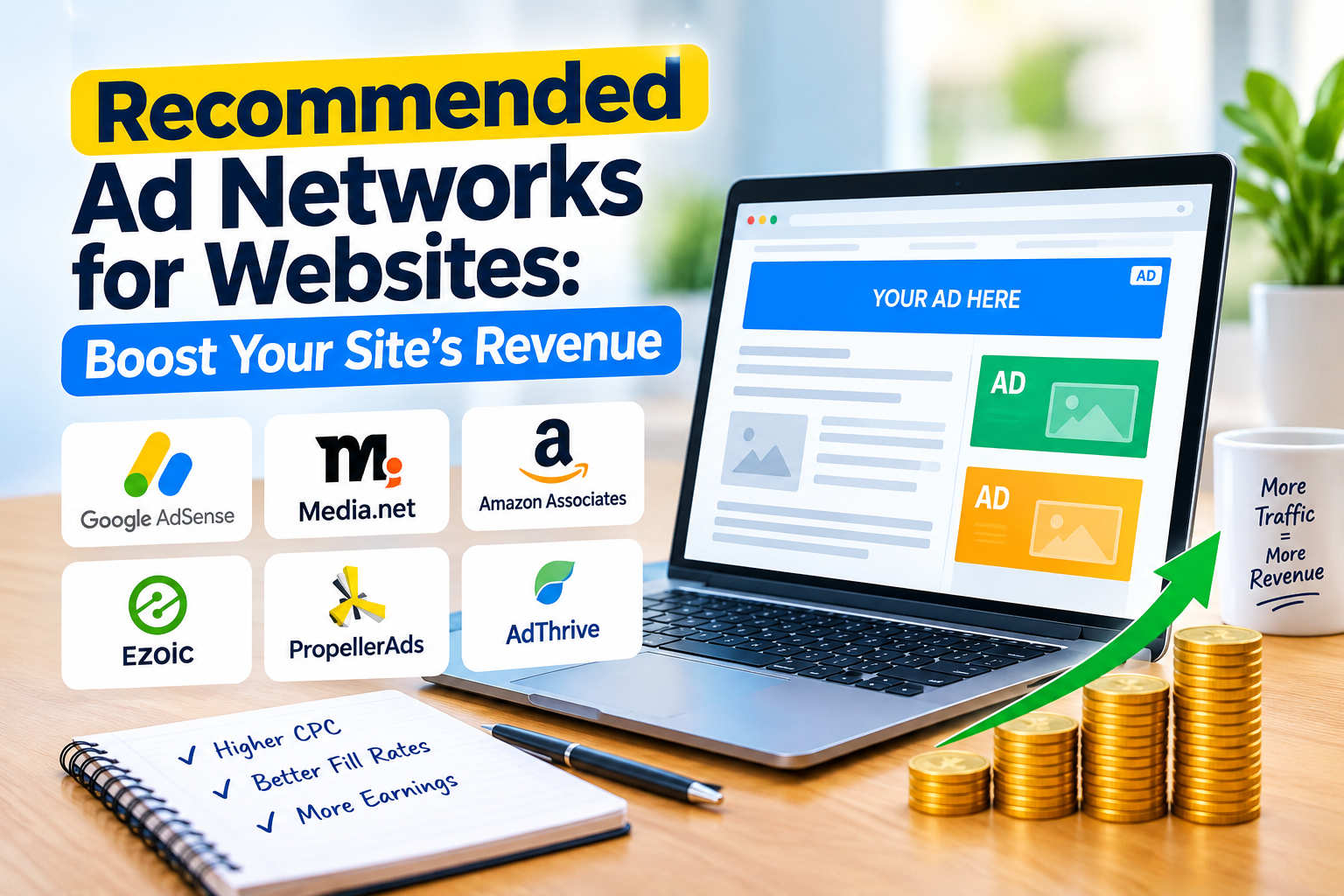
Recommended Ad Networks for Websites: Boost Your Site’s Revenue
Ready to turn your website traffic into serious revenue? Dive into our guide to the **Recommended Ad Networks** and discover how the right platform can dramatically boost your sites earning potential.
Recommended Ad Networks for Website Monetization: Your Ultimate Guide
Monetizing a website is a crucial step for many online creators, businesses, and publishers. While various strategies exist, such as selling products, offering services, or leveraging affiliate marketing, one of the most common and effective methods is through advertising. Ad networks act as intermediaries, connecting website owners (publishers) with advertisers looking to display their ads. Choosing the right ad network can significantly impact your revenue, user experience, and overall site performance.
This comprehensive guide will walk you through the world of ad networks, helping you understand how they work, what factors to consider, and which networks are best suited for different types of websites and traffic volumes.
Understanding Ad Networks: The Basics
Before diving into specific recommendations, it’s essential to grasp the fundamental concepts of ad networks and how they operate.
What is an Ad Network?
An ad network is a platform that aggregates ad supply from publishers (websites, apps) and matches it with advertiser demand. Essentially, they serve as a marketplace where advertisers can bid on ad space across a vast network of websites, and publishers can fill their ad inventory with relevant ads.
How Do Ad Networks Work?
The process generally involves several key players:
- Publishers: Website owners who want to monetize their content by displaying ads. They integrate the ad network’s code into their site.
- Advertisers: Businesses or individuals who want to promote their products or services. They create ad campaigns and bid on ad space through the network.
- Ad Network Platform: The technology that facilitates the connection. It collects ad inventory from publishers, manages ad campaigns from advertisers, serves ads, tracks performance, and handles payments.
- Ad Exchange (often integrated or connected): A digital marketplace where ad impressions are bought and sold in real-time auctions (real-time bidding or RTB).
When a user visits a webpage with ad network code, the network’s system quickly determines the most relevant and highest-paying ad to display based on factors like the user’s demographics, browsing history, the website’s content, and advertiser bids.
Types of Ads Served by Networks
Ad networks support various ad formats, each with its own characteristics and potential impact on user experience:
- Display Ads: The most common type, including banner ads (static or animated images), rich media ads (interactive elements), and text ads. They appear in designated ad slots on a webpage.
- Native Ads: Designed to blend seamlessly with the surrounding content, matching the look and feel of the website. Examples include “recommended articles” or “sponsored content” blocks.
- Video Ads: Ads that play before, during, or after video content (pre-roll, mid-roll, post-roll) or standalone video ads within a display ad unit.
- Interstitial Ads: Full-screen ads that appear at natural transition points in the user flow, such as between page loads or app screens. Often used on mobile.
- Pop-up/Pop-under Ads: Ads that appear in a new browser window, either on top of the current page (pop-up) or beneath it (pop-under). These can be intrusive and are often blocked by browsers.
- Push Notifications: Ads delivered directly to a user’s desktop or mobile device, even when they are not actively on your website, provided they have opted in.
Key Metrics in Ad Monetization
Understanding these terms is crucial for evaluating ad network performance:
- CPM (Cost Per Mille/Thousand): The revenue earned for every 1,000 ad impressions. This is common for display and video ads.
- CPC (Cost Per Click): The revenue earned each time a user clicks on an ad.
- CPA (Cost Per Action/Acquisition): The revenue earned when a user completes a specific action (e.g., a purchase, sign-up) after clicking an ad. Less common for publishers.
- CTR (Click-Through Rate): The percentage of ad impressions that result in a click. (Clicks / Impressions) * 100.
- Fill Rate: The percentage of ad requests that are successfully filled with an ad. A higher fill rate means fewer empty ad slots.
- RPM (Revenue Per Mille/Thousand): The total revenue generated per 1,000 page views or sessions. This is a holistic metric that accounts for all ad units and formats on a page.
Factors to Consider When Choosing an Ad Network
Selecting the right ad network isn’t a one-size-fits-all decision. Your choice should align with your website’s characteristics, audience, and monetization goals.
1. Website Niche and Content Type
Different ad networks excel in different niches. Some might have strong relationships with advertisers in tech, while others are better for lifestyle or finance blogs. Consider if the network has a good track record of serving relevant ads for your specific content.
2. Traffic Volume and Quality
This is perhaps the most critical factor. Many premium ad networks have strict minimum traffic requirements (e.g., 10,000 page views/month, 50,000 sessions/month, 100,000 page views/month). Your traffic’s geographic location (e.g., US, UK, Canada traffic often pays more) and engagement metrics also play a role.
3. Ad Formats Supported
Does the network offer the ad formats you want to use? Do they support responsive ads for mobile, video ads, or native ads? Consider which formats will integrate best with your site without being overly intrusive.
4. Payout Thresholds and Payment Methods
Check the minimum amount you need to earn before you can withdraw funds. Also, verify the available payment methods (e.g., PayPal, wire transfer, Payoneer) and how frequently payments are made (e.g., net 30, net 60).
5. Reporting and Analytics
A good ad network provides detailed reporting on impressions, clicks, earnings, ad unit performance, and audience demographics. This data is vital for optimizing your ad strategy.
6. Support and Account Management
Responsive customer support can be invaluable, especially when troubleshooting issues or seeking optimization advice. Premium networks often offer dedicated account managers.
7. Ad Quality and User Experience
The quality of ads served directly impacts your brand and user experience. Ensure the network has robust ad filtering to prevent low-quality, malicious, or inappropriate ads. Prioritize networks that balance revenue with a positive user experience.
8. Compliance and Policies
Ad networks have strict policies regarding content, traffic sources, and ad placements. Ensure your website complies with these rules, as violations can lead to account suspension. Also, consider their stance on privacy regulations like GDPR and CCPA.
Top Recommended Ad Networks for Beginners (Lower Traffic Requirements)
If you’re just starting or have moderate traffic, these networks are excellent entry points into website monetization.
1. Google AdSense
- Traffic Requirement: None explicitly stated; generally accessible for new sites.
- Pros:
- Easy to Get Started: Simple sign-up process and integration.
- Massive Advertiser Base: Backed by Google’s vast advertising network, ensuring a high fill rate.
- Diverse Ad Formats: Supports display, text, native, and video ads.
- Reliable Payments: Google is a trusted entity, and payments are consistent.
- Automatic Optimization: Google’s algorithms aim to serve relevant ads.
- Cons:
- Lower CPMs: Often pays less per impression compared to premium networks.
- Limited Control: Less granular control over ad types and placements compared to advanced platforms.
- Potential for Irrelevant Ads: While generally good, sometimes irrelevant ads can slip through.
- Account Suspension: Strict policies; violations can lead to account termination.
- Best For: New websites, blogs, and content creators with any traffic volume looking for a straightforward way to start monetizing. It’s often the first step for many publishers.
2. Media.net
- Traffic Requirement: No strict minimum, but performs best with decent traffic volume (e.g., 5,000+ page views/month) primarily from the US, UK, and Canada.
- Pros:
- Contextual Ads: Powered by the Yahoo! Bing Network, Media.net excels at contextual advertising, serving ads highly relevant to your content.
- Good for Content-Heavy Sites: Particularly effective for blogs and content sites where keywords are abundant.
- Decent CPMs: Can offer competitive CPMs, especially for high-quality US/UK traffic.
- Customizable Ad Units: Offers a good degree of customization for ad unit appearance.
- Dedicated Account Managers: Often provides account managers to help optimize performance.
- Cons:
- Performance Varies by Niche: Some niches perform better than others.
- Ad Quality Can Vary: While generally good, some ad units might not always look premium.
- Strict Approval Process: Requires a quality website to get approved.
- Best For: Publishers with content-rich websites, particularly those with a significant audience from North America and the UK, looking for an alternative or complement to AdSense.
3. PropellerAds
- Traffic Requirement: No minimum traffic requirement.
- Pros:
- Diverse Ad Formats: Offers a wide range of ad types, including push notifications, popunders, interstitial ads, native ads, and on-click ads.
- Low Payout Threshold: Very accessible with a low minimum payout (e.g., $5).
- High Fill Rate: Known for its high fill rates across various GEOs.
- Good for Diverse Traffic: Can monetize traffic from almost any country, including non-tier 1 countries.
- Cons:
- Intrusive Ad Formats: Some formats like popunders and push notifications can be perceived as aggressive or intrusive by users.
- Ad Quality: Ad quality can be mixed, and some advertisers may not be premium.
- Potential for Lower CPMs: While offering high fill rates, CPMs for some formats might be lower than premium display networks.
- Best For: Websites with diverse traffic sources, those open to experimenting with various ad formats (including more aggressive ones), and publishers looking for a low barrier to entry.
Top Recommended Ad Networks for Medium to High Traffic Websites (Premium Networks)
Once your website grows and consistently attracts a significant audience, you can unlock access to premium ad networks that offer higher CPMs, better ad quality, and more advanced optimization tools.
4. Ezoic
- Traffic Requirement: Historically 10,000 visits/month, but now offers “Access Now” for sites with lower traffic (even 1000 visits/month) to get started, though performance scales with traffic.
- Pros:
- AI-Driven Optimization: Ezoic uses machine learning to automatically test and optimize ad placements, sizes, and types for each visitor, aiming to maximize revenue while improving user experience.
- Big Data Analytics: Provides powerful analytics to understand how content, traffic, and ads perform.
- Improved User Experience: The AI aims to find the “sweet spot” between revenue and user experience, reducing ad intrusiveness.
- Header Bidding: Integrates with multiple ad exchanges and networks (including AdSense) to ensure competitive bidding for your ad inventory.
- Site Speed Optimization: Offers tools like Leap to improve site speed, which is crucial when running many ads.
- Cons:
- Initial Learning Curve: Can be complex to set up and understand all its features initially.
- Potential for Site Speed Impact: While it has optimization tools, running many ads can still impact speed if not managed properly.
- Revenue Fluctuations: As it’s constantly optimizing, revenue might fluctuate as the AI learns.
- Best For: Websites with at least 10,000 visits/month (or even less with “Access Now”) looking for significant revenue growth through intelligent, data-driven ad optimization and a commitment to improving user experience. It’s a great stepping stone to even higher-tier networks.
5. Monumetric
- Traffic Requirement: Minimum 10,000 page views per month.
- Pros:
- Personalized Support: Known for its hands-on approach and dedicated account managers.
- Good CPMs: Offers competitive CPMs, often significantly higher than AdSense.
- Focus on User Experience: Works with publishers to ensure ads are placed strategically without overwhelming the user.
- Various Ad Formats: Supports display, native, video, and in-content ads.
- Header Bidding: Utilizes header bidding to maximize ad revenue.
- Cons:
- Setup Fee: For sites below 80,000 page views/month, there’s a one-time setup fee (typically around $99).
- Approval Process: Requires a quality website and adherence to their content guidelines.
- Payment Terms: Standard net 60 payment terms.
- Best For: Publishers with growing traffic (10k+ page views/month) who are looking for a more premium ad experience than AdSense/Media.net, with good support and competitive earnings, and are willing to pay a small setup fee if applicable.
6. Mediavine
- Traffic Requirement: Minimum 50,000 sessions per month (not page views) in the last 30 days.
- Pros:
- High CPMs: Consistently one of the highest-paying ad networks, especially for lifestyle, food, and travel niches.
- Excellent Support & Community: Renowned for its exceptional customer service and active publisher community.
- Strong Focus on User Experience: Prioritizes site speed and a positive user experience, which benefits SEO.
- Comprehensive Features: Offers advanced analytics, video player, content optimization tools, and robust ad management.
- Transparent Reporting: Detailed and easy-to-understand dashboards.
- Cons:
- High Traffic Requirement: The 50,000 sessions/month threshold can be challenging for many sites to reach.
- Strict Quality Guidelines: Requires high-quality, original content and a professional website.
- Exclusivity: Requires exclusivity for display ad inventory.
- Best For: Established bloggers and publishers in niches like food, travel, lifestyle, DIY, and personal finance who have consistently high-quality content and meet the significant traffic requirement. It’s a goal for many growing websites.
7. AdThrive (now Raptive)
- Traffic Requirement: Minimum 100,000 page views per month.
- Pros:
- Highest CPMs: Often considered the top-tier network, offering some of the highest CPMs in the industry due to premium advertisers.
- White-Glove Service: Provides dedicated account management and personalized optimization strategies.
- Excellent Support: Unparalleled publisher support.
- Focus on Site Speed: Actively works with publishers to optimize site speed and performance.
- Advanced Technology: Utilizes sophisticated header bidding and ad optimization techniques.
- Strong Brand Reputation: Attracts top-tier advertisers, ensuring high-quality ads.
- Cons:
- Very High Traffic Requirement: The 100,000 page views/month threshold is a significant hurdle.
- Strict Quality Control: Demands extremely high-quality content, professional design, and engaged audience.
- Exclusivity: Requires exclusivity for display ad inventory.
- Best For: Large, established publishers and professional bloggers with substantial, high-quality traffic who are ready for the absolute best in ad monetization and support. AdThrive (Raptive) is often the ultimate goal for publishers seeking maximum ad revenue.
Specialized Ad Networks & Alternatives
Beyond the general display ad networks, there are specialized options and alternative monetization strategies to consider.
8. Outbrain / Taboola (Native Advertising Networks)
- Traffic Requirement: Varies, but generally perform best with significant traffic (e.g., 500,000+ page views/month for direct partnerships, though smaller sites can use their self-serve platforms).
- Pros:
- Non-Intrusive: Native ads blend with your content, often appearing as “recommended articles” or “from around the web.”
- Content Discovery: Can drive traffic to other parts of your site or even other sites, acting as a content discovery platform.
- Good for News & Content Sites: Particularly effective for news, entertainment, and content-heavy blogs.
- Cons:
- Lower CPMs: Generally, CPMs for native ads might be lower than premium display ads.
- Ad Quality Varies: While they blend in, the quality of the sponsored content can sometimes be questionable.
- Can Be Distracting: If not carefully curated, the “recommended” content can distract users from your own.
- Best For: Large content publishers, news sites, and blogs looking for a non-intrusive way to monetize and potentially drive engagement through content recommendations.
9. AdPushup
- Traffic Requirement: No strict minimum, but generally targets publishers with 100,000+ page views/month for optimal results and dedicated support.
- Pros:
- A/B Testing & Layout Optimization: Offers advanced tools to A/B test different ad layouts, sizes, and placements to find the highest-performing configurations.
- Header Bidding: Integrates with multiple demand partners to maximize bids.
- AdBlock Recovery: Features to help recover revenue lost to ad blockers.
- Dedicated Account Management: Provides personalized support and optimization strategies for larger publishers.
- Cons:
- Complexity: The platform’s advanced features can be complex for beginners.
- Best for Larger Publishers: While open to smaller sites, its full benefits are realized with significant traffic.
- Best For: Publishers with substantial traffic who are looking for highly sophisticated ad optimization, A/B testing capabilities, and dedicated support to squeeze every bit of revenue from their ad inventory.
10. Direct Ad Sales
- Traffic Requirement: None, but typically requires a highly targeted niche audience or significant traffic to attract direct advertisers.
- Pros:
- Highest Revenue Potential: You keep 100% of the revenue, cutting out the middleman.
- Full Control: Complete control over ad content, placement, and pricing.
- Brand Alignment: Can secure advertisers that perfectly align with your brand and audience.
- Cons:
- Time-Consuming: Requires significant effort in sales, negotiation, and ad management.
- Requires Sales Skills: You need to actively pitch to potential advertisers.
- Scalability: Harder to scale than using an ad network.
- Best For: Niche websites with a highly engaged and specific audience, or very large publishers who have the resources for a dedicated sales team. This is often pursued in conjunction with ad networks.
Implementing Ad Networks: Best Practices
Integrating ad networks effectively goes beyond just pasting code. Consider these
general post
Coding Bootcamps vs Computer Science Degrees: Which Offers Better Career Opportunities?
Coding Bootcamps vs Computer Science Degrees: Which Gives Better Career Opportunities?
The tech industry has experienced massive structural shifts over the past decade. The race to build digital infrastructure, software products, and artificial intelligence models has driven high demand for technical talent. Yet, the question of how to enter this lucrative field remains hotly debated.
Two primary educational pathways dominate the software engineering landscape: the traditional four-year Computer Science (CS) Degree and the intensive, accelerated Coding Bootcamp.
Both options promise to equip you with the skills needed to write code, build applications, and land a high-paying job. However, their curricula, financial investments, pedagogical philosophies, and long-term career trajectories are vastly different.
This comprehensive guide analyzes the nuances of coding bootcamps versus computer science degrees to help you determine which pathway provides the best career opportunities for your specific goals, background, and timeline.
The Landscape: Understanding the Two Pathways
Before comparing career outcomes, it is essential to understand what each educational model is designed to accomplish.
+-----------------------------------------------------------------------------------+
| EDUCATIONAL MODELS |
+-----------------------------------------------------------------------------------+
| Computer Science Degree Coding Bootcamp |
| ----------------------- --------------- |
| Duration: 4 Years Duration: 3 to 9 Months |
| Focus: Theory, Math, Systems Focus: Applied Web/App Dev |
| Cost: $40,000 - $200,000+ Cost: $10,000 - $30,000 |
| Outcome: Broad Foundational Knowledge Outcome: Job-Ready Portfolio |
+-----------------------------------------------------------------------------------+
What is a Computer Science Degree?
A Computer Science degree is an academic, multidisciplinary program offered by accredited colleges and universities. It typically spans four years (for a Bachelor of Science) and requires general education courses alongside rigorous study in mathematics, computational theory, and hardware-software interaction.
The primary goal of a CS program is not merely to teach you how to write code in a specific language; it is to teach you how computers work at a fundamental level. You study how data is stored in memory, how operating systems manage resources, how compilers translate syntax into machine code, and how mathematical proofs govern algorithmic efficiency.
Core Curriculum Highlights:
- Data Structures and Algorithms (DSA): Trees, graphs, hash tables, sorting algorithms, algorithmic complexity (Big-O notation).
- Discrete Mathematics & Linear Algebra: Graph theory, logic, combinatorics, matrix transformations
Web Technologies
Content AI 2.0: AI SEO Power Directly Inside WordPress
Say goodbye to juggling tools and hello to streamlined content creation! Content AI 2.0 brings powerful AI SEO directly into your WordPress dashboard, transforming how you optimize for search engines.
Content AI 2.0: Revolutionizing SEO with AI Inside WordPress
The digital landscape is in a constant state of flux, and nowhere is this more apparent than in the world of Search Engine Optimization (SEO). What was once a discipline heavily reliant on keyword density and technical tweaks has evolved into a sophisticated blend of user understanding, semantic analysis, and increasingly, artificial intelligence. As search engines become more intelligent, so too must our approach to content creation and optimization.
Enter Content AI 2.0 – a groundbreaking evolution that brings the power of advanced AI SEO directly into the heart of your WordPress editor. This isn’t just about generating text; it’s about integrating deep, data-driven SEO intelligence into every stage of your content workflow, making sophisticated optimization accessible, efficient, and intuitive for every WordPress user.
For years, content creators and SEO professionals have juggled multiple tools: one for keyword research, another for competitor analysis, a third for content outlines, and perhaps a separate AI writing assistant. This fragmented workflow often led to inefficiencies, inconsistencies, and a steep learning curve. Content AI 2.0 aims to dissolve these barriers, offering a unified, intelligent environment where your content is not just written, but strategically optimized from conception to publication, all without ever leaving your WordPress dashboard.
This article will delve into what Content AI 2.0 entails, explore its transformative features, highlight the immense benefits of AI SEO integration within WordPress, and outline how this innovation is poised to redefine the future of content creation and digital visibility.
The Evolution of SEO: From Keywords to Intent
To truly appreciate the significance of Content AI 2.0, it’s essential to understand the journey SEO has taken over the past two decades. What began as a relatively straightforward technical discipline has blossomed into a complex art and science, driven by ever-smarter search algorithms.
The Early Days: Keyword Stuffing and Basic Optimization
In the nascent stages of the internet, search engines were simpler. Their algorithms primarily focused on matching keywords in a user’s query with keywords present on a webpage. This led to practices like “keyword stuffing,” where webmasters would cram as many relevant keywords as possible into their content, often at the expense of readability and user experience. Basic on-page elements like title tags, meta descriptions, and heading tags were the primary levers for optimization. The focus was largely on the what – what keywords were present – rather than the why or how a user was searching.
The Rise of Semantic SEO and User Experience
As search engines matured, particularly with Google’s various algorithm updates (Panda, Penguin, Hummingbird, RankBrain, BERT, MUM), the emphasis shifted dramatically. The algorithms began to understand not just individual keywords, but the context and relationships between words. This marked the dawn of semantic SEO, where the goal was to cover a topic comprehensively, answer user questions thoroughly, and provide a superior user experience.
Factors like readability, site speed, mobile-friendliness, internal linking, external links, and user engagement metrics (bounce rate, time on page) became crucial. Search engines started to infer user intent – was the user looking for information, a product to buy, a local business, or a specific website? Content had to align with this intent, offering value beyond just a collection of keywords. The quality, authority, and trustworthiness of a website also gained significant importance, giving rise to concepts like E-E-A-T (Experience, Expertise, Authoritativeness, Trustworthiness).
The AI Revolution: Understanding Context and Intent
Today, AI is at the forefront of search engine capabilities. Large Language Models (LLMs) and advanced machine learning algorithms allow search engines to understand natural language queries with unprecedented accuracy, grasp complex relationships between entities, and even generate summaries or answer questions directly within the search results. This means that for content to rank, it must not only be relevant and high-quality but also demonstrate a deep understanding of the topic, anticipate user needs, and provide a comprehensive, authoritative answer.
This evolution has made SEO more challenging for content creators, requiring sophisticated analysis and a keen understanding of data. This is precisely where Content AI 2.0 steps in, leveraging AI to bridge the gap between human creativity and algorithmic demands.
- Web3 Staff Data Engineer Job: $400k-$500k Salary
- Pixel 11 Pro XL Review: HiLight Is Its Most Disappointing New Feature
- How to Make $1000 in a Day: Quick & Easy Methods
What is Content AI? A Primer
Before diving into the specifics of Content AI 2.0, let’s clarify what “Content AI” generally refers to in the context of SEO and content creation. It’s more than just an AI writing tool; it’s an intelligent assistant designed to enhance the entire content lifecycle.
Beyond Basic Content Generation
Many people associate “AI content” solely with automated text generation. While AI can certainly write paragraphs, articles, and marketing copy, Content AI goes much further. It encompasses a suite of AI-powered tools that assist with research, planning, optimization, and even performance analysis. Its primary goal is to help creators produce content that is not only well-written but also strategically positioned to rank well in search engines and resonate with target audiences.
The Core Promise: Data-Driven Content Creation
The fundamental promise of Content AI is to inject data and intelligence into every content decision. Instead of guessing what keywords to target, what topics to cover, or how long an article should be, Content AI leverages vast datasets – including competitor analysis, search engine results pages (SERPs), user queries, and semantic networks – to provide actionable insights. This data-driven approach minimizes guesswork and maximizes the potential for content success.
How Content AI Differs from Generic AI Writers
While generic AI writers focus on generating coherent and grammatically correct text based on a prompt, Content AI (especially in its advanced forms like Content AI 2.0) is specifically engineered with SEO in mind. It understands:
- Search Intent: Why users are searching for a particular topic.
- SERP Landscape: What types of content are already ranking and why.
- Topical Authority: What subtopics need to be covered for comprehensive understanding.
- Optimization Metrics: Readability, keyword usage, heading structure, and more.
In essence, a generic AI writer is a powerful pen; Content AI is a strategic editor, researcher, and SEO consultant rolled into one, guiding you towards content that performs.
Introducing Content AI 2.0: The Next Frontier
Content AI 2.0 represents a significant leap forward, particularly in its seamless integration of advanced AI SEO capabilities directly within the WordPress environment. It’s about moving beyond AI as a separate tool and embedding it as an intrinsic part of your content creation process.
A Deep Dive into AI SEO Integration
The core innovation of Content AI 2.0 is its ability to perform sophisticated SEO tasks using AI, not in a separate application, but right where you write and edit your posts. This means:
- Real-time Analysis: As you type, the AI analyzes your content against SEO best practices and competitor data.
- Contextual Suggestions: It provides suggestions relevant to the specific paragraph, section, or overall article you’re working on.
- Automated Workflows: Tasks that once took hours, like generating content briefs or identifying internal linking opportunities, are now automated or heavily assisted.
This deep integration transforms the WordPress editor from a simple text input field into an intelligent content command center.
Why “Inside WordPress” Matters: Streamlined Workflow
The “Inside WordPress” aspect is not just a convenience; it’s a strategic advantage. Consider the traditional workflow:
- Research: Use an SEO tool for keywords, competitor analysis.
- Outline: Manually create a content brief based on research.
- Write: Draft content in WordPress or a separate editor.
- Optimize: Copy content into an SEO analysis tool, make changes, then copy back.
- Publish: Hope for the best.
This constant switching between tabs and tools is inefficient and prone to errors. Content AI 2.0 eliminates this friction:
- Single Interface: All research, writing, and optimization happen in one place.
- Reduced Context Switching: Stay focused on your content without mental overhead.
- Faster Iteration: Make changes and see their SEO impact instantly.
- Lower Barrier to Entry: Even users less familiar with advanced SEO tools can leverage sophisticated strategies.
By embedding AI SEO directly into WordPress, Content AI 2.0 democratizes advanced optimization, making it accessible to a broader range of users, from solo bloggers to large content teams.
The Vision: Making Advanced SEO Accessible
The overarching vision behind Content AI 2.0 is to empower every WordPress user to create content that not only ranks but truly resonates with their audience. It aims to demystify complex SEO strategies, turning them into intuitive, actionable steps. By providing intelligent guidance at every turn, Content AI 2.0 allows creators to focus more on their unique voice and expertise, while the AI handles the intricate details of search engine optimization. It’s about making advanced SEO a natural extension of the content creation process, rather than a separate, daunting task.
Key Features of Content AI 2.0 for AI SEO
Content AI 2.0 isn’t a single feature; it’s a comprehensive suite of AI-powered tools designed to supercharge your SEO efforts directly within WordPress. Here are some of its most impactful capabilities:
Intelligent Keyword Research & Clustering
Traditional keyword research can be tedious and overwhelming. Content AI 2.0 leverages AI to go beyond simple keyword suggestions, identifying user intent and grouping related terms.
- How it works: The AI analyzes top-ranking content, search queries, and latent semantic indexing (LSI) keywords to uncover not just individual keywords, but entire clusters of related topics and questions that users are asking. It understands the semantic relationships between terms.
- Example: Instead of just suggesting “best coffee maker,” it might identify clusters around “espresso machine reviews,” “cold brew methods,” “aeropress vs chemex,” and “coffee grinder recommendations,” helping you build comprehensive topical authority. It can even suggest long-tail variations and questions that your competitors might be missing.
Real-time Content Optimization & Scoring
This is where the “inside WordPress” aspect truly shines. As you write, Content AI 2.0 provides continuous, actionable feedback.
- How it works: The AI compares your draft against competitor content, SEO best practices, and your target keywords/topics. It analyzes readability, keyword density (without over-optimization), topic coverage, heading structure, and even sentiment.
- Example: As you type, a sidebar might show a live score, highlighting areas where you need to expand on a subtopic, suggest a more impactful heading, or indicate if a paragraph is becoming too complex for your target audience. It might flag if you’ve used a key phrase too often or not enough, offering alternatives.
Automated Content Brief Generation
Starting a new article often involves extensive research to understand what needs to be covered. Content AI 2.0 automates much of this process.
- How it works: By analyzing the top-ranking results for your target keyword, the AI can automatically generate a comprehensive content brief. This includes suggested headings (H2s, H3s), questions to answer (from “People Also Ask” and related searches), key talking points, target word count, and even a list of entities or concepts to mention.
- Example: For an article on “vegan protein sources,” the AI might generate an outline with headings like “Why Choose Plant-Based Protein?”, “Top 10 Vegan Protein Foods,” “Complete vs. Incomplete Proteins,” “How Much Protein Do Vegans Need?”, and a list of specific foods like “lentils,” “chickpeas,” “quinoa,” and “tofu” to include.
AI-Powered Content Generation & Expansion
While Content AI 2.0 is primarily an optimization tool, it also offers intelligent assistance for generating and expanding content.
- How it works: Leveraging advanced LLMs, the AI can draft sections, rewrite paragraphs for clarity or SEO, generate compelling meta descriptions and titles, create FAQs based on common user queries, or even expand bullet points into detailed explanations. It does this with an understanding of the SEO context you’ve established.
- Example: If you’re stuck on an introduction, you can prompt the AI to generate a few options based on your target keyword. Or, if you have a bulleted list of benefits, you can ask the AI to expand each point into a concise paragraph, ensuring it naturally incorporates relevant keywords.
Competitor Analysis & Gap Identification
Understanding what your competitors are doing well (and where they fall short) is crucial for outranking them.
- How it works: The AI scrapes and analyzes the top-ranking pages for your target keyword, breaking down their structure, topics covered, media usage, and overall content strategy. It then identifies “content gaps” – topics or questions that competitors cover that you haven’t, or areas where their content is weak.
- Example: For a review article, the AI might highlight that competitors often include a comparison table or a video review, suggesting you add similar elements. It could also point out a specific common pain point or benefit that competitors don’t adequately address, giving you an opportunity to differentiate your content.
Internal Linking Suggestions
Internal links are vital for SEO, helping search engines understand your site’s structure and distributing “link juice.” However, manually finding relevant internal linking opportunities can be time-consuming.
- How it works: The AI analyzes your existing WordPress content, understanding the topics covered in each post. As you write a new article, it suggests relevant older posts to link to, along with appropriate anchor text, based on semantic similarity and topical relevance.
- Example: While writing about “email marketing strategies,” the AI might suggest linking to your older post titled “How to Build an Email List” using anchor text like “building your subscriber base” or “email list growth tactics.”
Schema Markup Generation (Automated)
Schema markup helps search engines understand the content on your page more deeply, potentially leading to rich snippets in search results. Manually adding schema can be complex.
- How it works: Content AI 2.0 can automatically suggest and generate appropriate schema markup based on the type of content you’re creating (e.g., Article schema, FAQ schema, Product schema, How-To schema). It extracts relevant information from your post to populate the schema fields.
- Example: For a recipe post, the AI could automatically generate Recipe schema, pulling in ingredients, cooking time, and instructions. For a Q&A section, it could generate FAQ schema, making your questions and answers eligible for rich snippets.
Performance Tracking & Iterative Optimization
SEO is an ongoing process. Content AI 2.0 extends its intelligence beyond initial publication.
- How it works: By integrating with analytics and search console data (or similar internal tracking), the AI can monitor the performance of your content. It tracks keyword rankings, traffic, and engagement, and then provides data-driven suggestions for content updates, expansions, or re-optimizations to improve its performance over time.
- Example: If a post starts to dip in rankings for a key term, the AI might suggest adding a new section addressing a recent development, updating statistics, or expanding on a particular subtopic that competitors are now covering more thoroughly.
The Benefits of AI SEO Inside WordPress with Content AI 2.0
The integration of advanced AI SEO capabilities directly into WordPress through Content AI 2.0 offers a multitude of benefits for content creators, marketers, and business owners alike.
Unprecedented Efficiency
By consolidating multiple SEO tasks into a single, intuitive interface, Content AI 2.0 drastically reduces the time and effort required for content creation and optimization. No more switching between tools, copying and pasting, or manually cross-referencing data. This streamlined workflow allows you to produce high-quality, SEO-optimized content faster than ever before.
Enhanced Content Quality & Relevancy
The AI’s ability to analyze search intent, competitor strategies, and semantic relationships ensures that your content is not just well-written, but also deeply relevant and comprehensive. It helps you cover topics thoroughly, answer user questions effectively, and provide the kind of value that modern search engines reward. This leads to content that truly resonates with your audience and establishes your authority.
Improved Search Engine Rankings
At its core, Content AI 2.0 is designed to help your content rank higher. By guiding you through intelligent keyword targeting, comprehensive topic coverage, optimal content structure, and technical SEO elements like schema, it ensures your content is perfectly aligned with what search engines are looking for. This translates directly into increased organic visibility and traffic.
Democratization of Advanced SEO
Complex SEO strategies, once the domain of specialized agencies and seasoned professionals, are now accessible to everyone. Content AI 2.0 acts as an intelligent co-pilot, guiding even novice users through sophisticated optimization techniques. This empowers small businesses, independent bloggers, and solopreneurs to compete effectively in crowded digital spaces.
Seamless Workflow Integration
The “inside WordPress” aspect is a game-changer. It eliminates context switching, reduces cognitive load, and creates a natural, fluid content creation process. You can research, write, optimize, and publish without ever leaving your familiar WordPress environment, fostering greater focus and productivity.
Data-Driven Decision Making
Gone are the days of guesswork. Content AI 2.0 provides actionable insights based on real-time data and sophisticated analysis. From keyword suggestions to content gaps, every recommendation is backed by intelligence, allowing you to make informed decisions that drive better results. This data-first approach minimizes wasted effort and maximizes ROI.
Who Can Benefit from Content AI 2.0?
The broad utility and accessibility of Content AI 2.0 mean that a wide range of individuals and organizations can reap its benefits.
- Bloggers & Content Creators: Whether you’re a hobbyist or a professional blogger, Content AI 2.0 can help you generate ideas, optimize your posts for better visibility, and streamline your writing process, allowing you to focus on your passion.
- Small Business Owners: For businesses with limited marketing budgets, Content AI 2.0 provides an affordable way to implement advanced SEO strategies, driving organic traffic and potential customers to their websites without needing to hire expensive consultants.
- SEO Agencies & Consultants: Agencies can leverage Content AI 2.0 to enhance their efficiency, scale their content production, and deliver even more impactful results for their clients, automating routine tasks and focusing on high-level strategy.
- E-commerce Sites: Product descriptions, category pages, and blog content are crucial for e-commerce SEO. Content AI 2.0 can help optimize these pages for relevant keywords, improve product visibility, and drive sales.
- Digital Marketers: Anyone responsible for online content marketing can use Content AI 2.0 to ensure their campaigns are not only creative but also strategically optimized for search performance, leading to better campaign ROI.
Getting Started with Content AI 2.0: A Practical Approach
Embracing Content AI 2.0 doesn’t have to be daunting. Here’s a practical roadmap to integrate this powerful tool into your workflow:
Installation and Setup
Typically, Content AI 2.0 will be available as a plugin or an integrated feature within a popular WordPress SEO plugin. The first step is to install and activate it. Follow the initial setup wizard, which might involve connecting to an API key or configuring basic preferences.
Understanding the Interface
Spend some time exploring the new AI features within your WordPress editor. Familiarize yourself with the AI sidebar, the scoring system, and where to access the various tools like keyword research, content brief generation, and content expansion. Most tools are designed to be intuitive, but a quick walkthrough will help.
Your First AI-Optimized Post
Start with a new post or an existing one that you want to optimize.
- Define your target keyword/topic: Input your primary keyword into the AI tool.
- Generate a content brief: Let the
Web Technologies
HTTP ERROR 405 Solved: Complete Guide to Fixing ‘This Page Isn’t Working’
Encountering This page isn’t working can be incredibly frustrating, but often this message points to a specific issue: an **HTTP ERROR 405**. Dont worry, well help you understand exactly whats going on and how to fix it!
When navigating the vast landscape of the internet, encountering an error message can be a frustrating roadblock. Among the myriad of HTTP status codes, one that often leaves users and site owners scratching their heads is the “HTTP ERROR 405: Method Not Allowed,” frequently accompanied by the user-friendly but unhelpful message: “This page isn’t working If the problem continues, contact the site owner.”
This particular error signifies a fundamental communication breakdown between your browser and the web server. Unlike a 404 “Not Found” error, which indicates the requested resource doesn’t exist, a 405 error confirms that the resource does exist, but the specific HTTP method used to access it (e.g., GET, POST, PUT, DELETE) is not allowed or supported by the server for that particular resource.
Understanding the nuances of the 405 error is crucial for both end-users seeking to access content and, more critically, for site owners and developers striving to maintain a seamless user experience. This comprehensive guide will delve deep into what an HTTP 405 error means, why it occurs, and provide actionable steps for troubleshooting and resolving it, ensuring your website remains accessible and functional.
Understanding HTTP ERROR 405: Method Not Allowed
At its core, the internet operates on a request-response model, primarily using the Hypertext Transfer Protocol (HTTP). When your browser wants to retrieve a webpage, it sends an HTTP request to a server. This request isn’t just a simple “give me this page”; it includes a specific “method” that tells the server what kind of action the browser wants to perform.
What Does “Method Not Allowed” Truly Mean?
HTTP methods, also known as verbs, define the type of operation to be performed on the identified resource. The most common methods include:
- GET: Used to request data from a specified resource. It should only retrieve data and have no other effect on the data. (e.g., loading a webpage).
- POST: Used to send data to a server to create/update a resource. (e.g., submitting a form, uploading a file).
- PUT: Used to update a resource or create a new one if it doesn’t exist.
- DELETE: Used to delete a specified resource.
- HEAD: Similar to GET, but it asks for a response identical to that of a GET request, but without the response body.
- OPTIONS: Used to describe the communication options for the target resource.
When you encounter an HTTP 405 error, it means:
- The server received your request.
- The server understood the request.
- The requested resource exists on the server.
- However, the server is configured to not allow the specific HTTP method you used to interact with that resource.
For instance, if you try to submit a form (which typically uses a POST request) to a URL that is only configured to accept GET requests (like a static image file or a read-only page), the server will respond with a 405 error. It’s not that the page doesn’t exist; it’s that you’re trying to perform an action on it that isn’t permitted.
How 405 Differs from 404 (Not Found)
It’s important to distinguish the 405 error from its more common cousin, the 404 “Not Found” error.
- 404 Not Found: The server cannot find the requested resource. The URL might be wrong, or the resource has been moved or deleted. The server doesn’t even know if it could handle a request for that resource because it doesn’t exist at the specified location.
- 405 Method Not Allowed: The server knows the resource exists, but it refuses to accept the HTTP method specified in the request. The URL is correct, but the action you’re trying to perform on it is disallowed.
This distinction is key for troubleshooting, as it immediately narrows down the potential causes.
Common Scenarios Leading to a 405 Error
Several factors can lead to an HTTP 405 error, ranging from simple user mistakes to complex server misconfigurations:
- Incorrect Server Configuration: This is often the most common culprit. The web server (Apache, Nginx, IIS) might be explicitly configured to disallow certain HTTP methods for specific directories or files.
- Application-Level Restrictions: The website’s underlying application code (e.g., PHP, Python, Node.js) or framework (WordPress, Laravel, Django) might have routing rules or security policies that restrict which methods can be used for particular endpoints.
- Plugin/Theme Conflicts (WordPress Specific): In content management systems like WordPress, a newly installed or updated plugin or theme might introduce code that inadvertently restricts HTTP methods, especially for AJAX requests, form submissions, or custom API endpoints.
- Firewall or Security Rules: A Web Application Firewall (WAF) or server-level security module (like Mod_security) might block certain HTTP methods if they are deemed suspicious or outside of defined rules.
- Incorrect API Requests: When working with APIs, developers might send a request using the wrong HTTP method (e.g., sending a GET request to an endpoint that expects a POST for data creation).
- Typographical Errors in URLs or Code: A subtle typo in a URL or within the application’s code can sometimes lead to the server misinterpreting the request or routing it to an incorrect handler that doesn’t support the method.
Understanding these scenarios provides a roadmap for effective troubleshooting, whether you’re an end-user or a site administrator.
Troubleshooting HTTP ERROR 405 for Users (End-Users)
If you’re just trying to browse a website and encounter a 405 error, there are a few simple steps you can take before contacting the site owner. These steps focus on ruling out client-side issues.
Basic Browser-Side Checks
Your web browser can sometimes be the source of temporary glitches.
- Clear Browser Cache and Cookies: Stored data can sometimes become corrupted or outdated, leading to unexpected errors.
- How to: In most browsers, you can find this option in the settings under “Privacy and Security” or “History.” Clear data for “all time.”
- Try a Different Browser: If the error persists in your primary browser, try accessing the page using another browser (e.g., Chrome, Firefox, Edge, Safari). This helps determine if the issue is browser-specific.
- Check the URL for Typos: A simple typo in the URL can sometimes lead to a 405 error if the mistyped URL points to an existing resource that doesn’t support the default GET method (though a 404 is more common here). Double-check the address bar.
- Disable Browser Extensions: Some browser extensions, particularly those related to security, ad-blocking, or network proxying, can interfere with how requests are sent or processed. Try disabling them one by one, or test the page in an incognito/private browsing window (which typically disables extensions by default).
- Try Incognito/Private Mode: This mode usually starts with a clean slate, without cached data or extensions. If the page loads correctly here, it points to a cache, cookie, or extension issue.
Network and Device Checks
While less common for a 405 error, ruling out network or device-specific problems is good practice.
- Restart Your Router/Modem: A simple network device restart can resolve temporary connectivity or routing issues.
- Try a Different Device: If possible, try accessing the website from another computer, tablet, or smartphone. This helps determine if the issue is isolated to your specific device.
- Check Your Internet Connection: Ensure your internet connection is stable and working correctly. While a 405 isn’t typically a connectivity error, a flaky connection could theoretically lead to malformed requests.
What to Do When All Else Fails
If you’ve exhausted the client-side troubleshooting steps and the error persists, the problem almost certainly lies with the website’s server or application.
- Contact the Site Owner/Support: This is the most effective next step. Look for a “Contact Us” page, email address, or social media presence.
- Provide Details: When reporting the issue, be as specific as possible:
- The exact URL you were trying to access.
- The full error message you received (“This page isn’t working… HTTP ERROR 405”).
- What you were doing when the error occurred (e.g., “trying to submit a contact form,” “clicking a link”).
- The browser you were using and its version.
- Any troubleshooting steps you already tried (clearing cache, different browser).
- The date and time the error occurred.
Detailed information helps site owners diagnose and resolve the problem much faster.
Troubleshooting and Fixing HTTP ERROR 405 for Site Owners (Developers/Admins)
For site owners, an HTTP 405 error is a critical issue that needs prompt attention. Resolving it requires a systematic approach, diving into server configurations, application code, and security settings.
Step 1: Understand the Error Context
Before diving into technical fixes, gather as much information as possible about the error.
- When Did It Start? Did the error appear after a recent update, a new plugin installation, a code deployment, or a server configuration change? Pinpointing the timeline is crucial.
- Is It Site-Wide or Specific Pages/Functions? Does the error affect every page, or only specific URLs, forms, or API endpoints? This helps narrow down the scope.
- Check Server Access Logs and Error Logs: These logs are your best friends.
- Access Logs: Show every request made to your server, including the HTTP method used, the requested URL, and the server’s response code. Look for 405 entries and the associated requests.
- Error Logs: Provide more detailed information about server-side issues, application errors, or configuration problems that might lead to a 405.
- Where to find them: For Apache, typically in
/var/log/apache2/access.logand/var/log/apache2/error.log(or similar paths). For Nginx, usually in/var/log/nginx/access.logand/var/log/nginx/error.log. For cPanel/Plesk, look for “Logs” or “Error Logs” in your control panel.
Step 2: Verify Server Configuration (Apache/Nginx/IIS)
Server configuration files are a frequent source of 405 errors, as they dictate which HTTP methods are allowed for specific resources.
Apache (.htaccess file and main config)
Apache servers often use .htaccess files for directory-specific configurations, which can override global settings.
- Inspect
.htaccessFiles:- Look for
LimitorLimitExceptdirectives that restrict HTTP methods. For example:<LimitExcept GET POST> Order Deny,Allow Deny from all </LimitLimitExcept>This snippet would block any method except GET and POST. If your application needs PUT or DELETE, this would cause a 405.
- Check for
RewriteRuleconflicts. Sometimes, complex rewrite rules can inadvertently redirect requests to handlers that don’t support the original method. - Ensure
AllowOverride Allis set for the directory in your main Apache configuration (httpd.confor site-specific virtual host file) if you intend for.htaccessfiles to be processed. If it’s set toNone,.htaccessfiles will be ignored, potentially leading to unexpected behavior if your application relies on them. - Temporarily disable
.htaccess: As a diagnostic step, you can temporarily rename the.htaccessfile (e.g., to.htaccess_old). If the error disappears, the problem is within that file. Remember to rename it back after testing.
- Look for
- Examine Main Apache Configuration:
- Check your virtual host configuration files (
.conffiles in/etc/apache2/sites-available/or similar). - Look for
LimitorLimitExceptdirectives within<Directory>,<Location>, or<Files>blocks. - Ensure
mod_rewriteis enabled if your application uses it (a2enmod rewrite).
- Check your virtual host configuration files (
Nginx (nginx.conf / site-specific conf)
Nginx configurations are typically more centralized.
- Inspect
nginx.confand Site-Specific Configuration:- Look for
limit_exceptdirectives withinlocationblocks. For example:location /api/users { limit_except GET POST { deny all; } # ... other directives for /api/users }This would return a 405 for any method other than GET or POST to the
/api/usersendpoint. - Ensure
fastcgi_param REQUEST_METHODis correctly passed to PHP-FPM or other upstream servers if you’re serving dynamic content. A misconfiguration here could cause the application to incorrectly interpret the method. - Check for
ifstatements orrewriterules that might be redirecting requests unexpectedly.
- Look for
IIS (web.config)
For Windows servers running IIS, the web.config file is the primary place for configuration.
- Inspect
web.config:- Look for
<verbs>elements within<handlers>or<security>sections that explicitly deny certain HTTP methods. - Check for
requestFilteringrules that might be blocking methods. - Ensure that the correct handler mappings are in place for the requested file types and methods.
- Look for
Step 3: Inspect Application Code (PHP/WordPress Specific)
If server configurations appear correct, the problem likely lies within your application’s code or its dependencies.
WordPress Core, Themes, and Plugins
WordPress sites are prone to 405 errors due to plugin or theme interactions.
- Deactivate Plugins One by One:
- This is the most common troubleshooting step for WordPress. Deactivate all plugins and re-test. If the error disappears, reactivate them one by one, testing after each, until the culprit is found.
- Pay special attention to security plugins, form plugins, or plugins that create custom post types or API endpoints, as these are more likely to implement method restrictions.
- Switch to a Default Theme:
- If a plugin isn’t the issue, switch to a default WordPress theme (e.g., Twenty Twenty-Four). If the error resolves, your theme is the problem.
- Check for Custom Code Snippets:
- If you’ve added custom code to your
functions.phpfile, a child theme, or a custom plugin, review it for any logic that might restrict HTTP methods or interfere with WordPress’s default routing. - Look for code related to
$_SERVER['REQUEST_METHOD']or conditional logic based on HTTP methods.
- If you’ve added custom code to your
- File Permissions: Incorrect file permissions can sometimes lead to the server being unable to execute scripts or access resources correctly, which might manifest as a 405 if the application logic fails. Ensure standard WordPress file permissions (e.g., 644 for files, 755 for directories).
- Corrupted WordPress Core Files: While rare, a corrupted WordPress core file could theoretically lead to issues. Re-uploading fresh core files (excluding
wp-content) can sometimes help.
Custom Applications (PHP, Python, Node.js, etc.)
For custom-built applications, the focus shifts to routing and controller logic.
- Review Routing Configurations:
- Most modern web frameworks (Laravel, Symfony, Django, Express.js) have a centralized routing file or system. Ensure that the route for the problematic URL explicitly allows the HTTP method being used.
- Example (Laravel):
// This route only allows GET Route::get('/users', 'UserController@index'); // This route allows POST Route::post('/users', 'UserController@store'); // This route allows GET and POST Route::match(['get', 'post'], '/contact', 'ContactController@showForm');If you send a PUT request to
/users, the server would return a 405 if no PUT route is defined for that URI.
- Check API Endpoints:
- If the error occurs on an API endpoint, verify that the API documentation matches the actual implementation regarding allowed HTTP methods for each endpoint.
- Ensure the client making the API request is using the correct method.
- Inspect Controller Logic:
- Within your application’s controllers or handlers, look for conditional statements that might restrict access based on
$_SERVER['REQUEST_METHOD']or similar logic. - Ensure that the function or method being called actually exists and is accessible.
- Within your application’s controllers or handlers, look for conditional statements that might restrict access based on
Step 4: Check Web Application Firewall (WAF) or Security Plugins
Security layers, while essential, can sometimes be overzealous.
- Mod_security Rules: If your server uses Mod_security (a popular WAF module for Apache), certain rules might be blocking specific HTTP methods, especially if they are deemed malicious or unusual.
- Check Mod_security logs for entries related to the 405 error.
- You might need to temporarily disable Mod_security rules for the affected URL or method, or whitelist the specific request (exercise caution here).
- Cloudflare (or other CDN/WAF) Settings: If you use a CDN or external WAF like Cloudflare, Sucuri, or Wordfence (for WordPress), check their settings.
- Cloudflare has “WAF Rules” and “Page Rules” that can block HTTP methods.
- WordPress security plugins often have options to restrict HTTP methods or block suspicious requests. Temporarily disabling the plugin (or specific rules within it) can help diagnose.
- Server-Level Firewall: While less common for a 405 (which is an HTTP-level error, not a network block), ensure no firewall rules are inadvertently interfering with standard HTTP traffic.
Step 5: Review DNS and CDN Settings
While less directly related to HTTP methods, it’s worth a quick check.
- DNS Records: Ensure your DNS records (A, CNAME) are correctly pointing to your server. An incorrect DNS resolution could theoretically lead to requests being sent to the wrong server, which might then respond with a 405 if it’s not configured for your application.
- CDN Cache: If you’re using a CDN, clear its cache. Outdated cached content or misconfigurations at the CDN level could sometimes contribute to unexpected errors.
Step 6: Server-Side Scripting Language Configuration (PHP)
For PHP applications, ensure the PHP environment is correctly configured.
- PHP-FPM/mod_php: Verify that your web server (Apache/Nginx) is correctly passing requests to PHP-FPM or using
mod_php. Misconfigurations here can lead to requests not being processed by your application at all, which might result in a 405 if the server falls back to a default handler that doesn’t support the method. php.inisettings: While less likely to cause a 405 directly, reviewphp.inifor any unusual settings that might impact request processing or script execution.
Step 7: Database Issues (Less Common but Possible)
A corrupted database table or a database connection issue can sometimes indirectly lead to a 405 error. If your application attempts to perform a database operation (e.g., insert, update) as part of a POST or PUT request, and the database is unreachable or corrupted, the application might fail in a way that results in a 405 if its error handling isn’t robust.
- Check your database server status.
- Review application logs for database connection errors.
- Use tools like
phpMyAdminormysqlcheckto repair database tables if necessary.
Step 8: Version Control and Rollback
If you use version control (like Git) for your website’s code or configuration files, this can be a lifesaver.
- Rollback to a Previous Version: If the error appeared after a recent deployment or configuration change, rolling back to a known working version is often the quickest way to restore functionality while you investigate the root cause in a staging environment.
Preventing Future HTTP ERROR 405 Issues
-
general post7 months agoSemantics Ideas: Meaning, Types, and Examples Explained
-
Tech Leaders & Biographies7 months agoHidden Costs of OpenAI API: 5 Things That Spike Your Bill
-
general post9 months agoNAFDAC Registration Guide for Nigerian Products in 2025
-
general post2 years agoDeath of The of VTU Services in Nigeria: Causes, Implications, and Solutions
-
Tech Leaders & Biographies7 months agoArtificial Intelligence Transforming Global Economy in 2026
-
Software2 years agoHow to Create a WebView App with a Website for Free and No Coding Knowledge
-
Tech Leaders & Biographies7 months agoSidra Chain KYC Guide 2026: Step-by-Step Identity Verification on Blockchain
-
Tech Leaders & Biographies7 months agoBest Accredited Online Blockchain Certification Programs for 2026 US Careers
-
Software8 months agoBlogger Radio App v4.0.0 – Blogger API Free Download
-
Tech Leaders & Biographies8 months ago1000+ Free Backlinking Sites: Ultimate SEO Gem for Ranking