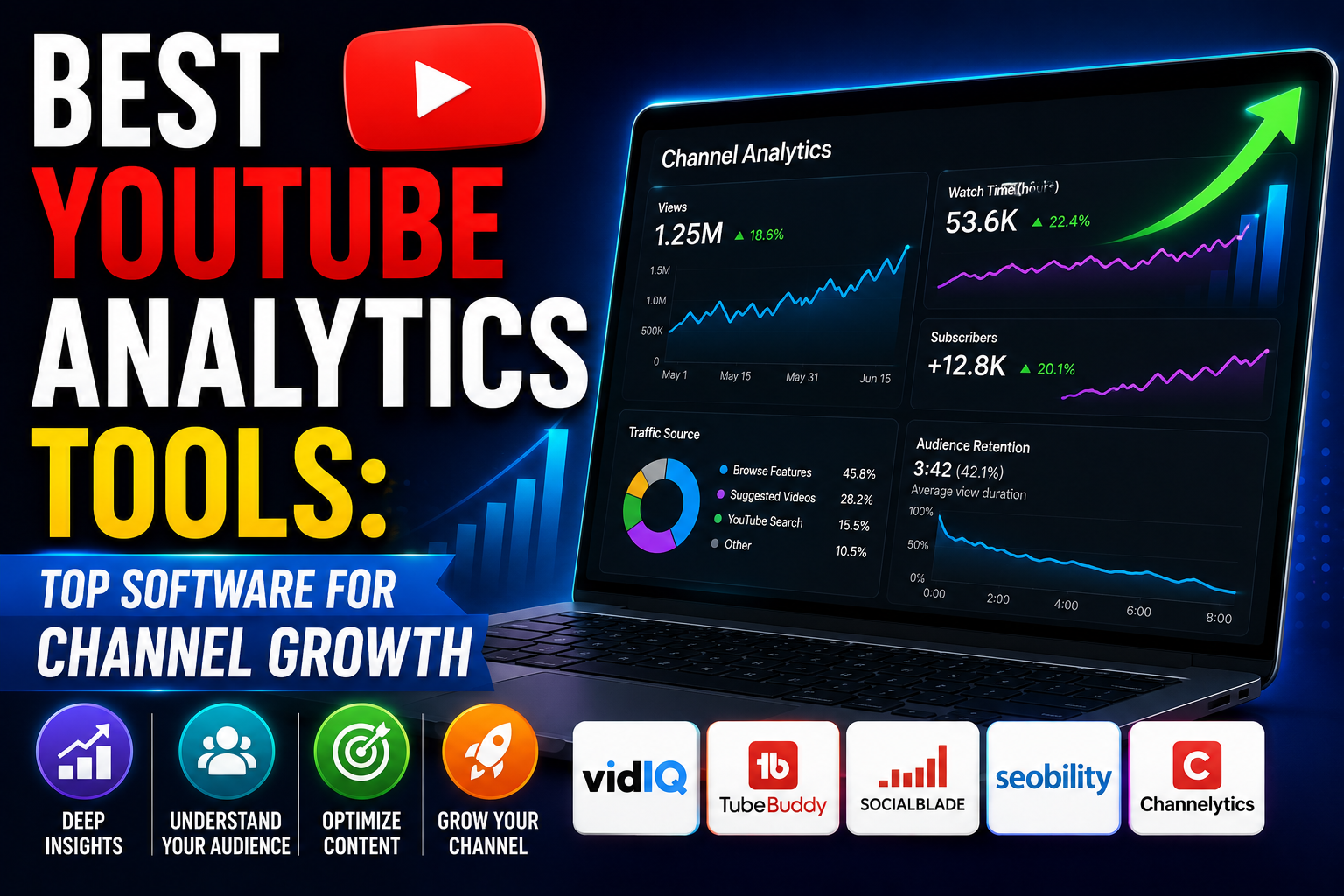
Understanding your YouTube channel’s performance is not just a good idea; it’s an absolute necessity for growth, optimization, and ultimately, success. In the vast and ever-evolving landscape of online video, data is your compass, guiding you through the trends, audience behaviors, and content opportunities that can elevate your channel from obscurity to influence. Without robust analytics, you’d be navigating blind, hoping for the best rather than strategically building a thriving community.
YouTube itself provides a powerful suite of analytics tools within YouTube Studio, offering a foundational understanding of your channel’s health. However, the world of YouTube optimization extends far beyond the basics. A diverse ecosystem of third-party tools has emerged, each designed to supercharge your data analysis, streamline your workflow, and give you a competitive edge. These tools delve deeper into keyword research, competitor analysis, audience insights, and content optimization, transforming raw data into actionable strategies.
This comprehensive guide will explore the best YouTube analytics tools available today, ranging from YouTube’s own built-in features to sophisticated third-party platforms. We’ll break down their core functionalities, highlight their unique advantages, discuss their potential drawbacks, and help you determine which tools are the perfect fit for your specific goals and budget. Whether you’re a budding creator, an established influencer, or a brand leveraging YouTube for marketing, mastering these tools will empower you to make data-driven decisions that propel your channel forward.
Why YouTube Analytics Matter for Every Creator
Before diving into the tools, let’s briefly reiterate why a deep understanding of your YouTube analytics is non-negotiable for anyone serious about their channel:
- Understand Your Audience: Analytics reveal who your viewers are (demographics), where they come from (geography), and what they’re interested in. This insight is crucial for tailoring content that resonates.
- Optimize Content Strategy: By seeing which videos perform best and why, you can replicate success, identify content gaps, and refine your editorial calendar.
- Improve Viewer Engagement: Data on watch time, audience retention, and engagement rates (likes, comments, shares) helps you understand what keeps viewers hooked and what causes them to drop off.
- Identify Growth Opportunities: Spotting trends in search terms, traffic sources, and competitor performance can uncover untapped niches and strategies for expansion.
- Boost Monetization: For monetized channels, analytics provide insights into revenue sources, ad performance, and opportunities to increase earnings.
- Benchmark Performance: Track your progress over time, compare your channel against competitors, and set realistic goals for improvement.
- Refine SEO and Discoverability: Understand which keywords drive traffic, how your videos rank, and what you can do to improve your visibility in search results and suggested videos.
In essence, analytics transform guesswork into informed decision-making, allowing you to build a more successful and sustainable YouTube presence.
Core Metrics Every Creator Should Track
While each tool offers a plethora of data points, a few core metrics form the backbone of YouTube performance analysis:
- Views: The total number of times your videos have been watched.
- Watch Time: The cumulative amount of time viewers have spent watching your videos. This is a critical metric for YouTube’s algorithm.
- Subscribers: The number of users who have subscribed to your channel.
- Audience Retention: How much of your video viewers watch on average. High retention indicates engaging content.
- Traffic Sources: Where your viewers are coming from (YouTube search, suggested videos, external websites, etc.).
- Demographics: Age, gender, and geographic location of your audience.
- Engagement: Likes, dislikes, comments, and shares, indicating how viewers interact with your content.
- Click-Through Rate (CTR): The percentage of people who click on your video thumbnail after seeing it. Crucial for discoverability.
- Impressions: The number of times your video thumbnails were shown to viewers on YouTube.
Now, let’s explore the tools that help you track and interpret these vital metrics.
The Gold Standard: YouTube Studio Analytics (Built-in Tool)
Every YouTube creator’s journey with analytics begins and often heavily relies on YouTube Studio. This is YouTube’s official, free, and incredibly robust platform for managing your channel, uploading videos, and, critically, accessing comprehensive performance data. It’s the essential starting point for understanding your channel’s health and audience.
Key Features
- Overview Dashboard: Provides a quick glance at your channel’s performance, including real-time views, watch time, subscribers, and top-performing videos.
- Reach Tab:
- Impressions & CTR: Shows how often your thumbnails are displayed and how many people click on them. This is vital for optimizing titles and thumbnails.
- Traffic Sources: Breaks down where your views are coming from (e.g., YouTube search, suggested videos, browse features, external sources).
- Top YouTube Search Terms: Reveals the exact keywords viewers are using to find your content.
- Engagement Tab:
- Audience Retention: Detailed graphs showing at what points viewers drop off in your videos, helping you pinpoint engaging and less engaging segments.
- Top Videos by End Screen/Card Clicks: Helps optimize your calls to action within videos.
- Top Playlists: Identifies which playlists are most effective at keeping viewers on your channel.
- Audience Tab:
- Demographics: Provides insights into your viewers’ age, gender, and geographic location.
- When Your Viewers Are on YouTube: A heatmap showing the peak times your audience is active, helping you schedule uploads.
- Other Channels Your Audience Watches: Reveals competitor or complementary channels your viewers enjoy, offering content inspiration.
- Other Videos Your Audience Watched: Similar to channels, this shows specific videos your audience consumes.
- New vs. Returning Viewers: Helps understand audience loyalty and growth.
- Revenue Tab (for monetized channels):
- Estimated Revenue: Tracks your earnings from ads, channel memberships, Super Chats, etc.
- Ad Performance: Insights into different ad types and their impact.
- Top Earning Content: Identifies which videos generate the most revenue.
- Research Tab: A newer addition that allows creators to explore what their audience and general YouTube viewers are searching for, helping with content ideation and keyword research directly within YouTube Studio.
Pros
- Free and Accessible: Available to all YouTube creators without any cost.
- Accurate Data: Directly from the source, ensuring the most precise metrics.
- Comprehensive for Core Metrics: Provides a deep understanding of your channel’s performance, audience, and content engagement.
- Integrated: Seamlessly works with your channel management tasks.
- Constantly Evolving: YouTube frequently updates and adds new features based on creator feedback.
Cons
- No Direct Competitor Analysis: While it shows “other channels your audience watches,” it doesn’t offer deep dives into competitor performance or strategies.
- Limited Advanced Keyword Research: The research tab is good, but dedicated SEO tools offer more depth.
- Lacks Social Listening Beyond YouTube: Doesn’t track mentions or sentiment on other social platforms.
- No A/B Testing: You can’t natively A/B test thumbnails or titles within YouTube Studio.
Target User
YouTube Studio Analytics is the foundational tool for every single YouTube creator, regardless of size or experience level. It’s the first place you should look to understand your channel’s performance and make data-driven decisions.
Third-Party YouTube Analytics Tools
While YouTube Studio is indispensable, third-party tools offer specialized features that can significantly enhance your strategy, especially when it comes to competitive analysis, advanced SEO, and workflow efficiency.
1. VidIQ
VidIQ is one of the most popular and powerful YouTube optimization and analytics tools, available as a browser extension and a web app. It’s designed to help creators find keywords, analyze competitors, and optimize their videos for maximum reach.
Key Features
- Video SEO Scorecard: Provides real-time feedback on your video’s SEO performance as you upload, suggesting improvements for tags, titles, descriptions, and more.
- Keyword Research Tool: Offers detailed insights into keyword search volume, competition, and related keywords, helping you target terms that can drive traffic.
- Competitor Analysis: Allows you to track specific competitor channels, see their top-performing videos, and analyze their strategies.
- Daily Ideas: Generates personalized content ideas based on your channel, audience, and trending topics.
- Channel Audit: Provides a comprehensive overview of your channel’s strengths and weaknesses, offering actionable advice for improvement.
- Best Time to Publish: Analyzes your audience’s activity to suggest optimal upload times.
- Historical Data: Access performance data for your videos and competitors’ videos over time.
- AI Generator: Helps craft titles, descriptions, and outlines using artificial intelligence.
- Trend Alerts: Notifies you about trending videos and topics relevant to your niche.
Pros
- Excellent for SEO: Strong focus on keyword research and on-page optimization.
- Robust Competitor Analysis: Provides deep insights into what your rivals are doing successfully.
- User-Friendly Interface: The browser extension integrates seamlessly into the YouTube experience.
- Free Tier Available: Offers a solid set of basic features for free users, making it accessible.
- Actionable Insights: Doesn’t just show data but suggests concrete steps for improvement.
Cons
- Paid Tiers Necessary for Full Power: While the free version is good, the advanced features (e.g., more daily ideas, deeper keyword research) require a paid subscription.
- Can Be Overwhelming: The sheer amount of data and features can be a lot for new users to digest initially.
Target User
VidIQ is ideal for creators focused on growth through SEO, competitive analysis, and content strategy optimization. It’s particularly useful for those who want to understand how to rank higher in YouTube search and suggested videos.
2. TubeBuddy
TubeBuddy is another industry-leading browser extension and mobile app that serves as an all-in-one toolkit for YouTube channel management, optimization, and growth. It’s often compared directly with VidIQ due to their similar offerings.
Key Features
- Keyword Explorer: A powerful tool to research keywords, analyze their search volume, competition, and overall optimization score for YouTube.
- Tag Explorer & List: Helps you find relevant tags, see their performance, and easily manage your video tags.
- Bulk Processing Tools: Automate tasks like adding cards, end screens, or updating descriptions across multiple videos.
- A/B Testing: Allows you to test different thumbnails, titles, and descriptions to see which performs best, a crucial feature for optimizing CTR.
- Competitor Scorecard: Provides a detailed overview of competitor channels, their video performance, and growth trends.
- Video Topic Planner: Helps organize your content ideas and plan your video schedule.
- Health Report: Gives you a quick summary of your channel’s overall health and areas for improvement.
- Best Time to Publish: Similar to VidIQ, it suggests optimal upload times based on your audience’s activity.
- Canned Responses: Save time by creating pre-written responses for common comments.
Pros
- Comprehensive Feature Set: Offers a vast array of tools for every aspect of YouTube management and growth.
- Strong for SEO and Productivity: Excellent for optimizing videos and streamlining workflow.
- A/B Testing Capability: A significant advantage for data-driven optimization of thumbnails and titles.
- Free Tier Available: Provides a good starting point with essential features.
- Community and Support: Active community and helpful resources.
Cons
- Can Be Feature-Rich to the Point of Overwhelm: New users might find the interface dense.
- Advanced Features are Paid: To unlock its full potential, a paid subscription is necessary.
- Learning Curve: Takes some time to master all its functionalities.
Target User
TubeBuddy is perfect for creators who want an all-encompassing solution for video optimization, channel management, and growth experimentation (like A/B testing). It’s particularly strong for those looking to automate tasks and deeply analyze their content’s performance.
3. Social Blade
Social Blade is a public statistics website that tracks user and channel statistics for YouTube, Twitch, Instagram, Twitter, and more. While it doesn’t offer deep, private analytics for your channel in the same way YouTube Studio or VidIQ does, it’s invaluable for competitive analysis and public benchmarking.
Key Features
- Channel Grade: Assigns a letter grade to channels based on their performance.
- Projected Future Growth: Estimates future subscriber and view counts based on historical data.
- Estimated Daily/Monthly Earnings: Provides a wide range of estimated ad revenue for any public channel. (Note: these are estimates and can be highly inaccurate).
- Comparison Tool: Allows you to compare up to three channels side-by-side.
- Top Lists: Ranks channels by various metrics (subscribers, views, category, country).
- Live Subscriber Count: A popular feature for tracking real-time subscriber changes.
Pros
- Free and Public: Anyone can access statistics for any public channel.
- Quick Overview of Channel Performance: Great for getting a snapshot of a channel’s size and growth trajectory.
- Competitive Benchmarking: Useful for seeing how your channel stacks up against others in your niche.
- Influencer Research: Excellent for brands or agencies looking to identify potential collaborators.
Cons
- Estimates Can Be Inaccurate: Especially for earnings, the ranges are broad and often not reflective of actual income.
- Limited Deep Analytics: Doesn’t provide internal data like audience retention, traffic sources, or specific keyword performance for your channel.
- Focus on Public Metrics: Less useful for internal content optimization.
Target User
Social Blade is best for marketers, agencies, researchers, and creators who need a quick, public overview of channel performance, competitive benchmarking, and influencer identification. It’s less about optimizing your own content and more about understanding the broader YouTube landscape.
- Money Per View: The Ultimate 2026 Breakdown of YouTube Earnings
- Rider Is Out For Delivery: Track Your Order Now
- Strategic Secretarial Solutions: 7 Essential & Powerful Ways to Mitigate Governance Risks
4. Sprout Social / Hootsuite (Social Media Management Tools)
While primarily comprehensive social media management platforms, tools like Sprout Social and Hootsuite offer robust integrations with YouTube, making them valuable for brands and agencies managing multiple social channels. They aren’t standalone YouTube analytics tools but provide a unified view.
Key Features (YouTube Specific)
- Video Scheduling and Publishing: Plan and schedule your YouTube video uploads alongside content for other social platforms.
- Comment and Mention Monitoring: Track and respond to comments on your YouTube videos directly from the platform.
- Cross-Platform Performance Reporting: View YouTube analytics (views, engagement, audience growth) alongside data from Facebook, Instagram, Twitter, etc., in a single dashboard.
- Team Collaboration: Facilitate workflows, approvals, and task assignments for social media teams.
- Audience Demographics: Often pull in YouTube’s audience data for a unified view.
Pros
- Centralized Social Media Management: Manage all your social channels from one place, saving time and effort.
- Unified Reporting: Get a holistic view of your social media performance across platforms.
- Team Workflow and Collaboration: Excellent for larger teams with multiple contributors.
- Advanced Scheduling and Publishing: Streamline your content calendar.
Cons
- Expensive: These are enterprise-level tools with a high price point, often overkill if YouTube is your only focus.
- YouTube Features Can Be Secondary: While integrated, the depth of YouTube-specific analytics might not match dedicated YouTube tools.
- Learning Curve: Comprehensive platforms require time to master.
Target User
These platforms are ideal for brands, marketing agencies, and large organizations that manage a significant presence across multiple social media channels, including YouTube, and require integrated reporting and team collaboration features.
5. Ahrefs / SEMrush (SEO Tools with YouTube Keyword Research)
Ahrefs and SEMrush are industry-leading SEO tools primarily designed for website optimization. However, both have powerful features that extend to YouTube, particularly for in-depth keyword research and content strategy. They are not direct YouTube channel analytics tools but are invaluable for pre-production planning.
Key Features (YouTube Specific)
- YouTube Keyword Tool: Both platforms offer dedicated YouTube keyword research tools that provide search volume estimates, keyword difficulty, and related keyword suggestions specifically for YouTube.
- Content Explorer (Ahrefs): Discover top-performing videos for any topic, helping you identify popular content ideas and analyze what makes them successful.
- Topic Research (SEMrush): Generate a plethora of content ideas based on a seed keyword, including popular questions and related topics.
- Competitor Keyword Analysis: See what keywords your competitors’ YouTube videos are ranking for.
- SERP Analysis: While primarily for Google, understanding which videos rank for certain keywords on Google can inform your YouTube strategy.
Pros
- Deep Keyword Insights: Unparalleled depth in keyword research for YouTube, helping you target high-potential topics.
- Strategic Content Planning: Excellent for identifying content gaps and popular topics within your niche.
- Comprehensive SEO Suite: If you also manage a website, these tools offer immense value across all your digital assets.
- Data-Driven Content Ideation: Move beyond guesswork with proven search demand.
Cons
- Very Expensive: These are premium, professional-grade tools with a high monthly subscription, often cost-prohibitive if you only need YouTube features.
- Steep Learning Curve: They are complex platforms with many features, requiring time to master.
- Not Direct Channel Analytics: They don’t provide your channel’s private performance data like watch time, audience retention, or revenue.