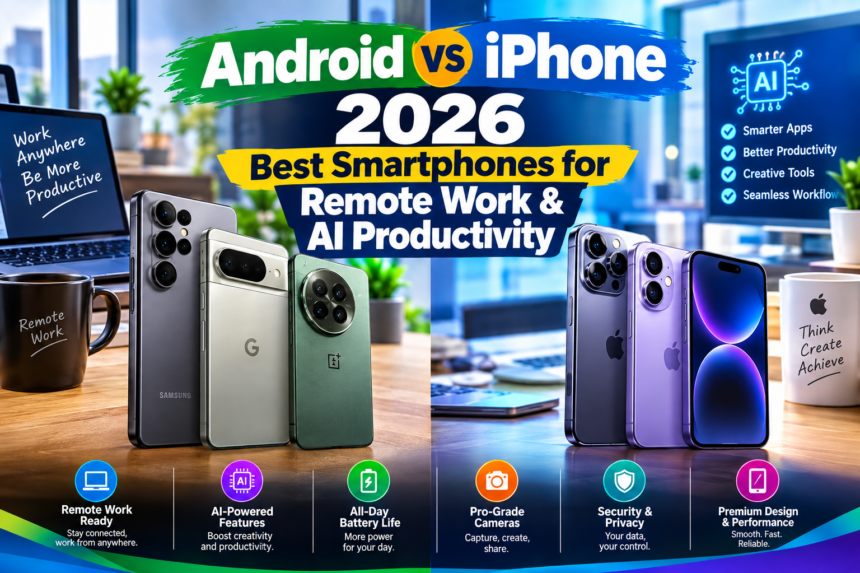
Android vs iPhone for Remote Workers in 2026: Which Smartphone Is Better for Productivity, AI & Work From Anywhere?
The landscape of work has undergone a seismic shift, with remote and hybrid models becoming not just commonplace, but often preferred. As we look towards 2026, the tools we use to navigate this distributed professional world are more critical than ever. At the heart of this toolkit lies the smartphone – no longer just a communication device, but a portable office, a powerful AI assistant, and a gateway to global collaboration.
For the modern remote worker, the choice between an Android device and an iPhone isn’t merely a matter of brand loyalty or aesthetic preference. It’s a strategic decision that impacts productivity, security, and the very fabric of their work-from-anywhere (WFA) lifestyle. Both ecosystems have evolved dramatically, integrating advanced AI, pushing connectivity boundaries, and refining user experiences to cater specifically to the demands of a professional life untethered from a physical office.
This comprehensive guide will delve into the critical aspects of Android and iPhone performance in 2026, examining their strengths and weaknesses across productivity, AI capabilities, and the practicalities of working from anywhere. By exploring the nuances of each platform, we aim to equip remote workers with the insights needed to make an informed decision that aligns with their unique professional needs and aspirations.
The Evolving Landscape of Remote Work in 2026
By 2026, remote work will have solidified its position as a permanent fixture in the global economy. Companies will have fully embraced sophisticated hybrid models, and the “digital nomad” lifestyle will be more accessible than ever. This evolution places unprecedented demands on personal technology, particularly smartphones.
A smartphone for a remote worker in 2026 isn’t just for checking emails or making calls. It’s expected to:
- Facilitate complex multitasking: Seamlessly switch between video conferences, document editing, and project management tools.
- Leverage advanced AI: Provide intelligent assistance for everything from scheduling to data analysis and content creation.
- Ensure robust connectivity: Offer reliable access to networks, regardless of location, from urban centers to remote outposts.
- Prioritize security and privacy: Protect sensitive corporate data from an increasingly sophisticated threat landscape.
- Integrate flawlessly: Work in harmony with laptops, tablets, smartwatches, and other peripherals.
The stakes are high. A well-chosen smartphone can be the difference between a productive, stress-free workday and a constant battle with technological limitations. Let’s dissect how Android and iPhone stack up against these critical requirements.
Productivity Powerhouses: Android vs. iPhone
Productivity is paramount for remote workers. The ability to efficiently manage tasks, communicate effectively, and seamlessly transition between different work functions directly impacts output and job satisfaction.
Multitasking and Workflow Efficiency
Both Android and iOS have made significant strides in enabling users to handle multiple tasks simultaneously, but their approaches differ.
- Android’s Flexible Approach: High-end Android devices, particularly from manufacturers like Samsung (with DeX) and Google (with its adaptive UI), often offer more granular control over multitasking.
- Split-screen and Floating Windows: A staple feature, allowing two apps to run side-by-side or one app to float over another. This is invaluable for cross-referencing documents while writing an email, or keeping a chat window open during a presentation.
- Desktop Modes (e.g., Samsung DeX, Motorola Ready For): These features transform the smartphone into a near-desktop experience when connected to an external monitor, keyboard, and mouse. For remote workers, this means a full-fledged workstation that fits in their pocket, ideal for extended document work or complex data entry without needing a laptop. Google’s Android 14+ is further refining its own desktop mode capabilities, promising a more standardized experience across devices.
- App Pairs: Many Android launchers allow users to save pairs of apps that launch together in split-screen mode, streamlining repetitive workflows.
- iPhone’s Streamlined Efficiency: Apple’s approach to multitasking emphasizes fluidity and simplicity within its ecosystem.
- Split View (on larger iPhones like Pro Max models) and Slide Over: While not as universally available or flexible as Android’s offerings, these allow for viewing two apps simultaneously or quickly accessing a secondary app.
- Picture-in-Picture (PiP): Excellent for keeping a video conference or tutorial playing while working in another app.
- Seamless App Switching: The App Switcher and App Library provide quick access to recently used applications, and the overall performance of app transitions is exceptionally smooth, minimizing friction in workflow.
- Focus Modes: Highly customizable modes that filter notifications and home screens based on activity (e.g., “Work” mode), reducing distractions during focused tasks.
Comparison: Android generally provides more robust and customizable multitasking options, especially with its desktop modes, which can be a game-changer for remote workers who need a full computing experience on the go. iPhone, while less flexible, offers a highly polished and intuitive experience for its defined multitasking features, prioritizing simplicity and performance.
App Ecosystem and Integration
The availability and quality of professional applications are critical for any work device.
- Android’s Diverse Ecosystem: The Google Play Store boasts an immense library of apps, often with more niche and specialized tools due to its open-source nature.
- Google Workspace Integration: Android devices offer unparalleled integration with Google’s suite of productivity tools (Gmail, Calendar, Drive, Docs, Sheets, Meet), which are staples for many remote teams.
- Third-Party Flexibility: Android’s openness allows for easier side-loading of apps (though less common for corporate use due to security policies) and greater flexibility in default app choices, letting users tailor their experience precisely.
- Microsoft 365: Excellent support for Microsoft’s suite of apps, often with features that leverage Android’s unique capabilities.
- iPhone’s Curated Excellence: The App Store is renowned for its stringent quality control, often leading to highly polished and optimized versions of popular work apps.
- Apple’s Own Productivity Suite: Pages, Numbers, and Keynote are powerful, free tools that integrate seamlessly within the Apple ecosystem.
- Optimized Third-Party Apps: Many professional apps, particularly in creative fields, often debut on iOS or receive significant optimization there first, leveraging Apple’s hardware and software integration.
- Microsoft 365 Integration: Like Android, iOS offers robust support for Microsoft’s productivity suite, ensuring cross-platform compatibility for many businesses.
Comparison: Both platforms have mature and extensive app ecosystems that cater to nearly every professional need. Android might offer more niche apps and greater flexibility in app choices, while iOS often provides a more consistently polished experience for mainstream professional applications.
Device Ecosystem and Continuity
For remote workers, a smartphone rarely operates in isolation. Its ability to integrate with other devices is crucial for a seamless workflow.
- Android’s Cross-Platform Bridge: Android excels at connecting with a wider array of hardware.
- Windows PC Integration: Features like Phone Link (formerly Your Phone) allow Android users to access messages, notifications, and even run Android apps directly on their Windows PC, bridging the gap between mobile and desktop.
- Chromebooks: Deep integration with Google’s ChromeOS, offering a unified experience for users in that ecosystem.
- Samsung’s Ecosystem: Devices like the Galaxy Watch and Galaxy Buds integrate tightly with Samsung phones, offering features like automatic device switching for audio and health tracking.
- iPhone’s Unparalleled Apple Ecosystem: Apple’s strength lies in its tightly integrated “walled garden.”
- Mac and iPad Continuity: Features like Handoff, Universal Clipboard, Continuity Camera, and AirDrop create an almost magical flow between iPhone, Mac, and iPad. Start an email on your iPhone, finish it on your Mac; copy text on your iPad, paste it on your iPhone.
- Apple Watch Integration: The Apple Watch provides seamless notifications, health tracking, and even phone unlocking capabilities, all tied into the iPhone.
- AirPods: Automatic device switching and spatial audio enhance the audio experience across all Apple devices.
Comparison: Apple’s ecosystem offers a more deeply integrated and seamless experience within its own brand. For users heavily invested in Apple hardware, this continuity is a significant productivity booster. Android, while offering excellent integration within specific brands (like Samsung) and with Chromebooks, shines in its broader compatibility with Windows PCs, catering to a larger segment of the professional market.
Battery Life and Charging Innovations
For a remote worker, a dead phone is a productivity killer. Battery life and charging speed are non-negotiable.
- Android’s Diverse Offerings: Due to the wide range of manufacturers, Android phones offer a vast spectrum of battery sizes and charging technologies.
- Large Batteries: Many Android devices, especially mid-range and “ultra” models, pack massive batteries (5000mAh+) that can easily last beyond a full workday, even with heavy use.
- Hyper-Fast Charging: Android manufacturers have been at the forefront of rapid charging, with some devices supporting 100W+ wired charging, capable of fully charging a phone in under 30 minutes. Wireless charging is also common and increasingly fast.
- Reverse Wireless Charging: A convenient feature on many premium Android phones, allowing them to wirelessly charge other devices like earbuds or smartwatches.
- iPhone’s Optimized Endurance: Apple focuses on optimizing software and hardware for efficient power consumption, rather than simply packing in the largest batteries.
- Consistent All-Day Performance: iPhones are known for their reliable battery life, often lasting a full day of mixed use.
- MagSafe: Apple’s magnetic charging system offers convenient wireless charging and a growing ecosystem of accessories.
- Fast Charging: iPhones support fast wired charging (up to 27W on some models), though generally not as fast as the bleeding-edge Android devices.
Comparison: Android offers more raw power and faster charging speeds, particularly at the high end, providing quick top-ups that can be crucial when working on the go. iPhone provides consistent, optimized battery endurance and a more integrated charging ecosystem with MagSafe.
- Top Smartphones for Crypto & Remote Work 2026: iPhone, Samsung, Pixel
- vivo X500, X500 Pro, X500 Pro Max Series Announced
- Nigerian Air Force (NAF) Recruitment 2026: Portal, Form & How to Apply
Storage and File Management
Managing documents, media, and project files efficiently is a daily necessity for remote workers.
- Android’s Flexible File System: Android has traditionally offered a more open and accessible file system.
- Expandable Storage: While less common on premium flagships, many Android phones still offer microSD card slots, allowing users to significantly expand storage capacity affordably.
- Direct File Access: Android’s file manager allows for more direct manipulation of files and folders, akin to a desktop OS, making it easier to transfer files via USB-C or manage local documents.
- USB-C Versatility: The universal USB-C port allows for easy connection to external drives, flash drives, and other peripherals for quick data transfer.
- iPhone’s Cloud-Centric Approach: Apple’s file management is more integrated with its cloud services and operates within a more sandboxed environment.
- iCloud Integration: Deep integration with iCloud for seamless cloud storage and syncing across Apple devices.
- Files App Improvements: The Files app has evolved significantly, allowing access to iCloud Drive, third-party cloud services (Dropbox, Google Drive), and local files within app sandboxes. However, it’s still more restrictive than Android’s file system.
- No Expandable Storage: iPhones do not offer microSD card slots, meaning users must choose their storage capacity at purchase or rely entirely on cloud solutions.
- USB-C (on newer Pro models): While newer iPhones have adopted USB-C, their file transfer capabilities remain more controlled than Android’s.
Comparison: Android offers greater flexibility for local storage expansion and direct file management, which can be advantageous for users dealing with large files or limited internet access. iPhone relies more heavily on cloud storage and a more controlled file system, which, while secure, can feel restrictive to some.
The AI Frontier: On-Device Intelligence in 2026
Artificial Intelligence (AI) is rapidly transforming how we interact with our devices and perform work. By 2026, AI will be deeply embedded in smartphone operating systems, offering proactive assistance and intelligent automation.
On-Device AI Processing (NPU/Neural Engine)
The power of AI starts with dedicated hardware.
- Android’s Diverse AI Chips: High-end Android phones are powered by sophisticated Neural Processing Units (NPUs) from various manufacturers.
- Google Tensor (Pixel): Google’s custom-designed Tensor chips are built specifically to handle on-device AI tasks, excelling in real-time translation, advanced computational photography (e.g., Magic Editor, Photo Unblur), and intelligent call screening.
- Qualcomm Snapdragon (Samsung, others): Snapdragon’s AI Engine powers many flagship Android phones, enabling features like enhanced voice assistants, smart camera features, and optimized gaming performance.
- MediaTek Dimensity: Also investing heavily in AI capabilities for its chipsets, bringing advanced AI to a wider range of Android devices.
- Applications: These NPUs enable privacy-preserving AI, as data processing happens on the device without needing to send sensitive information to the cloud. This is crucial for corporate security.
- iPhone’s Apple Neural Engine: Apple’s custom-designed Neural Engine is a cornerstone of its Bionic and A-series chips.
- Deep Integration: The Neural Engine is deeply integrated across iOS, powering features like Face ID, Siri, computational photography (e.g., Deep Fusion, Photographic Styles, Cinematic Mode), on-device machine learning for app suggestions, and health tracking.
- Privacy-First AI: Apple emphasizes privacy by performing many AI tasks on-device, minimizing data sent to the cloud.
Comparison: Both platforms are investing heavily in on-device AI, delivering impressive capabilities. Google’s Pixel line often showcases cutting-edge, user-facing AI features that feel genuinely intelligent, while Apple integrates its Neural Engine more subtly into the core OS and app experience, providing a consistently smart and private user experience.
Cloud AI Integration and Generative AI Tools
Beyond on-device processing, integration with powerful cloud AI services is key.
- Android’s Google AI Advantage: Android benefits from Google’s extensive lead in cloud AI and search.
- Gemini Integration: By 2026, Google’s advanced Gemini AI models will be deeply integrated across Android, powering a more sophisticated Google Assistant, intelligent search, and proactive suggestions based on context.
- Workspace AI Features: Integration with AI features in Google Workspace (e.g., smart compose, meeting summaries, data analysis in Sheets) will be seamless.
- Openness to Third-Party AI: Android’s open nature allows for easier integration of various third-party generative AI apps and services.
- iPhone’s Evolving Cloud AI: Apple is rapidly catching up in the cloud AI space.
- Siri Evolution: Expect a significantly more capable and context-aware Siri, powered by Apple’s own large language models (LLMs) by 2026. This will likely include more complex multi-step commands and deeper app integration.
- Apple-Specific Generative AI: Rumors suggest Apple will introduce its own generative AI tools for tasks like text generation, image manipulation, and code completion, all with a strong emphasis on privacy.
Comparison: Google’s long-standing leadership in cloud AI gives Android a natural advantage in terms of immediate access to powerful generative AI features. However, Apple is aggressively developing its own sophisticated cloud AI, and its privacy-first approach could make it highly appealing for corporate users.
AI for Specific Work Tasks
AI will transform daily work tasks on both platforms.
- Summarization & Transcription: Both platforms will leverage AI to summarize lengthy documents, emails, and meeting transcripts, saving valuable time.