
Table of Contents
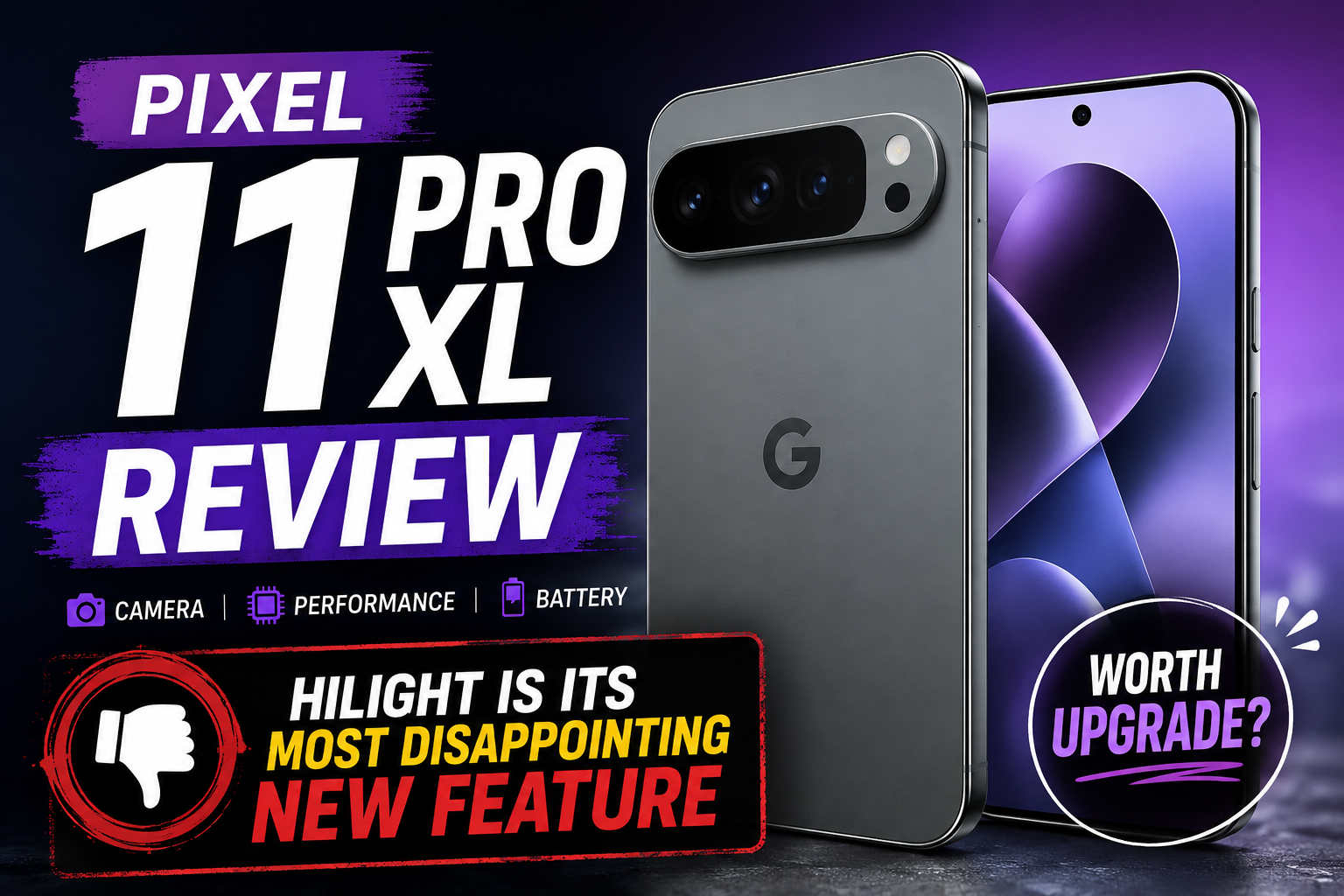
Pixel 11 Pro XL: A Week In – Why HiLight is the Most Disappointing New Feature
The annual refresh of Google’s Pixel line is always met with a unique blend of anticipation and scrutiny. For years, the Pixel series has carved out a niche as the thinking person’s smartphone – a device that prioritizes software innovation, computational photography, and a pure Android experience above all else. This year, the excitement surrounding the Pixel 11 Pro XL was palpable. With promises of a more refined design, a souped-up Tensor chip, and a suite of groundbreaking AI features, it seemed poised to be Google’s most compelling flagship yet.
I’ve had the Pixel 11 Pro XL in my hands for a full week now, subjecting it to the rigors of daily life, from capturing spontaneous moments to powering through demanding work tasks. And largely, it delivers. The phone is a powerhouse, a testament to Google’s engineering prowess. Yet, amidst the myriad of improvements and genuinely impressive new capabilities, one feature stands out as a profound disappointment: HiLight.
Marketed as a revolutionary step in computational photography, designed to intelligently enhance your photos with subtle yet impactful adjustments, HiLight was supposed to be the unsung hero of the Pixel 11 Pro XL’s camera system. Instead, after seven days of extensive testing, it has proven to be an inconsistent, often detrimental, and ultimately frustrating addition that actively detracts from the otherwise stellar Pixel camera experience.
First Impressions of the Pixel 11 Pro XL (Overall)
Before diving into the depths of my HiLight woes, it’s crucial to contextualize the Pixel 11 Pro XL’s overall performance. This is, by almost every metric, an exceptional smartphone.
Design and Build Quality
Google has continued its design evolution, offering a device that feels premium and robust. The new matte finish on the rear glass is a welcome change, resisting fingerprints far better than previous glossy iterations. The camera bar, while still prominent, feels more integrated into the overall aesthetic. The display is a vibrant, incredibly bright OLED panel, perfect for media consumption and outdoor visibility. The haptics are, as expected from Google, top-tier, providing satisfying tactile feedback for every interaction.
Performance and Software Experience
Under the hood, the latest generation of the Tensor chip powers the Pixel 11 Pro XL with remarkable efficiency. Apps launch instantly, multitasking is seamless, and even graphically intensive games run without a hitch. More importantly, the AI capabilities embedded within the chip are evident in the phone’s responsiveness and smart features. Call Screen, Live Translate, and the improved voice typing are all faster and more accurate than ever before. Android 15, in its pure, unadulterated form, feels incredibly fluid and intuitive, free from bloatware and unnecessary UI overlays.
Camera System (Beyond HiLight)
The camera hardware itself is, predictably, excellent. The main sensor captures incredible detail, dynamic range is superb, and low-light performance continues to be a Pixel hallmark. The ultrawide lens offers a broader perspective without significant distortion, and the telephoto lens provides impressive optical zoom capabilities. Features like Magic Eraser, Photo Unblur, and Real Tone have all seen subtle but meaningful improvements, further solidifying the Pixel’s reputation as a computational photography leader. If you ignore HiLight, the camera is still arguably one of the best on the market.
Battery Life
Battery life has also seen a noticeable improvement. The larger battery, combined with the efficiency of the Tensor chip, easily gets me through a full day of heavy use, often with 20-30% to spare. This is a significant relief for power users who’ve sometimes felt Pixel batteries lagged behind competitors.
In short, the Pixel 11 Pro XL is a fantastic device. It excels in almost every area, making the disappointment of HiLight even more pronounced. It’s like finding a single, jarringly off-key note in an otherwise beautiful symphony.
Understanding HiLight: What It Is Supposed to Be
When Google introduced HiLight, the marketing language painted a picture of a subtle, intelligent assistant for your photos. It wasn’t meant to be a filter or an overt editing tool, but rather an invisible hand that gently nudged your images towards perfection.
Google’s Vision
According to Google, HiLight leverages the advanced AI capabilities of the Tensor chip to analyze every photo you take in real-time. Its primary goal is to identify areas that could benefit from minor, yet impactful, adjustments. This could include:
- Subtle exposure balancing: Slightly brightening shadows or toning down highlights without blowing out details.
- Color refinement: Enhancing natural vibrancy or correcting minor color casts to make subjects pop.
- Detail sharpening: Intelligently bringing out fine textures without introducing artifacts.
- Dynamic range optimization: Ensuring a more balanced look across the entire scene.
The key word here was “subtle.” HiLight was pitched as a feature that would work in the background, making your good photos even better, and your challenging shots more salvageable, all without you having to lift a finger. It was supposed to be the culmination of years of Pixel’s computational photography expertise, taking the concept of “point and shoot” to an entirely new level of automated excellence.
Technical Underpinnings
The underlying technology behind HiLight is undoubtedly complex. It likely involves:
- Deep neural networks: Trained on millions of images to recognize common photographic scenarios and identify areas for improvement.
- Semantic segmentation: Understanding different elements within a scene (sky, skin, foliage, architecture) to apply context-aware adjustments.
- Real-time processing: The Tensor chip’s dedicated AI cores are crucial for applying these complex algorithms almost instantaneously.
- Adaptive learning: Potentially, HiLight was designed to learn from user preferences or common photographic styles, though this was never explicitly stated.
Expected User Benefits
For the average user, the promise was clear: consistently better photos, effortlessly. No need to fiddle with sliders or apply presets. Just point, shoot, and let the Pixel’s intelligence deliver a superior image. It was meant to be a “set it and forget it” feature that elevated the entire photographic experience, ensuring that every memory captured was as vibrant and true-to-life as possible.
This vision sounds compelling, even revolutionary. The problem, as I discovered over my week with the Pixel 11 Pro XL, is that the reality of HiLight falls dramatically short of this ambitious promise.
My Week with HiLight: The Reality
My initial excitement for HiLight was genuine. As someone who appreciates Google’s commitment to computational photography, I was eager to see how this new, always-on enhancement would elevate my everyday shots. What I found, however, was a feature that felt half-baked, unpredictable, and often counterproductive.
Initial Excitement & Setup
HiLight is enabled by default, which makes sense given its “invisible assistant” premise. I spent the first couple of days shooting as I normally would, trusting the Pixel to work its magic. I took photos of my pets, landscapes during a morning walk, food, portraits of friends, and challenging low-light scenes. I expected to occasionally notice a subtle improvement, a slight pop, a better balance. What I got was a mixed bag, leaning heavily towards disappointment.
The Promise vs. The Practice
The core issue with HiLight is its inconsistency and its tendency to make subjective “improvements” that often clash with photographic intent or simply look unnatural.
Inconsistent Activation
One of the most baffling aspects of HiLight is its unpredictable activation. Google described it as an “always-on” feature, but in practice, it felt like it picked and chose its moments. I would take two photos of the exact same scene, seconds apart, and one would clearly have HiLight applied (often with detrimental effects), while the other would be the pristine, unadulterated Pixel shot. There’s no clear indicator in the viewfinder or even in the Google Photos app to tell you when HiLight has been applied. This lack of transparency is incredibly frustrating. Is it working? Is it not? Why did it activate here but not there? These questions constantly plagued my testing.
Subjective “Improvements”: Often Worse, Rarely Better
This is where HiLight truly falls apart. Instead of subtle enhancements, I frequently observed changes that were anything but.
- Over-saturation: In several landscape shots, particularly those involving vibrant skies or lush greenery, HiLight would push the saturation beyond what looked natural. A beautiful blue sky would become an almost cartoonish cyan, and green leaves would take on an artificial, almost glowing hue. This is a common pitfall of aggressive AI enhancement, but one I expected Google, with its emphasis on naturalistic photography, to avoid.
- Example: A photo of a sunset over the ocean, where HiLight turned the delicate gradient of oranges and purples into a harsh, almost neon display, losing the subtle beauty of the original capture.
- Unnatural Lighting & Contrast: HiLight often seemed to apply a blanket contrast boost that, while sometimes making an image “pop,” more often crushed shadows or blew out highlights that the Pixel’s excellent HDR+ would have otherwise preserved. It would also sometimes introduce an artificial glow around subjects, particularly in indoor shots, making them look oddly detached from their background.
- Example: A portrait taken indoors with natural window light. HiLight attempted to “brighten” the subject’s face, but instead flattened the natural shadows, making the face look less three-dimensional and almost artificially lit.
- Loss of Detail & Texture: In an attempt to “sharpen” or “enhance” details, HiLight occasionally introduced an artificial, almost painterly effect, particularly in areas with fine textures like hair, fur, or intricate patterns. Instead of clarity, it created a sort of digital smudging or over-sharpening halo.
- Example: A close-up of my dog’s fur, where HiLight seemed to smooth out the individual strands, making the texture look less natural and more like a digitally enhanced painting.
- Weird Color Shifts: Perhaps the most egregious sin was the occasional, inexplicable color shift. A white wall might gain a faint magenta tint, or a neutral gray object would lean oddly green. These shifts were subtle enough to be confusing but noticeable enough to be irritating, especially when compared side-by-side with the untouched original.
- Example: A product shot with a white background, where HiLight introduced a very faint but distinct yellow cast to the white, completely altering the intended color accuracy.
Lack of Control & Transparency
The most frustrating aspect of HiLight is the absolute lack of user control. There’s no toggle in the camera app to turn it off for a specific shot, no intensity slider, and crucially, no “before and after” comparison in Google Photos. When HiLight makes a change, that’s the photo you get. If you don’t like it, your only option is to manually edit it back to something resembling the original, which defeats the entire purpose of an “automatic enhancement.”
This lack of transparency is a major oversight. Users should be able to see what HiLight has done and, more importantly, have the option to revert to the original capture. Google’s existing computational features like Magic Eraser and Photo Unblur do offer this, allowing users to apply and undo effects. Why HiLight, a feature that makes far more subjective and impactful changes, doesn’t offer the same courtesy is baffling.
- How to Make $1000 in a Day: Quick & Easy Methods
- Samsung Galaxy S26 FE: Release Date Set for Next Week
- WAEC GCE Registration 2026: Form, Fee, Closing Date & How to Register Online
Performance Impact
While not a deal-breaker, I did notice a very slight increase in processing time for some photos when HiLight seemed to be active. It wasn’t enough to miss a shot, but it was perceptible, a fraction of a second longer before the image was ready for review. Given the Tensor chip’s power, this suggests HiLight is doing some heavy lifting, which makes its often-poor results even more disappointing. I also observed a minor, but consistent, increase in battery drain during prolonged photo sessions, which I attribute, in part, to HiLight’s continuous background processing.
Redundancy with Existing Features
The Pixel camera already has a robust suite of computational photography features that work exceptionally well. HDR+ ensures excellent dynamic range. Real Tone accurately renders skin tones. Magic Eraser and Photo Unblur fix specific problems. HiLight, in its current implementation, feels redundant and often undermines these established strengths.
Why does HiLight need to “enhance” dynamic range when HDR+ is already doing a stellar job? Why does it need to “refine colors” when the Pixel’s color science is already praised for its natural accuracy? It feels like Google tried to create a general-purpose “make it better” button without clearly defining what problem it was solving, leading to it stepping on the toes of features that already work flawlessly.
Edge Cases & Failures
My testing revealed several scenarios where HiLight actively ruined a shot:
- Portraits with subtle lighting: HiLight often flattened natural shadows on faces, removing depth and making subjects look less natural.
- Low-light scenes with specific light sources: Instead of preserving the mood, HiLight would sometimes over-process, introducing noise or an artificial glow around light sources.
- Food photography: This was particularly frustrating. HiLight often over-saturated food, making it look less appetizing and more artificial, or it would introduce strange color casts that altered the natural appearance of dishes.
- Scenes with delicate color gradients: Sunsets, sunrises, and misty landscapes, where subtle color transitions are key, were often ruined by HiLight’s aggressive color boosting.
The “Why”: Speculation on Google’s Intent and Execution
Why would Google release a feature that, in its current state, feels so unpolished and detrimental?
- Trying to be too smart? Google’s AI is powerful, but photography is inherently subjective. Perhaps HiLight attempts to apply a universal “better” aesthetic that doesn’t resonate with everyone, or even most people. It’s trying to be a one-size-fits-all solution for a problem that requires nuance.
- Over-engineering a solution? With an incredibly capable Tensor chip, there might be a drive to showcase its AI prowess with new features, even if the problem they solve isn’t clearly defined or if the solution isn’t fully baked.
- Poor user testing? It’s hard to imagine extensive user testing leading to the conclusion that HiLight, as it stands, is a net positive. Perhaps the internal testing focused on specific, ideal scenarios where it did work well, overlooking its broader inconsistencies.
- A feature looking for a problem? The Pixel camera is already so good. HiLight feels like an attempt to add another layer of “AI magic” without a clear understanding of what specific, unsolved photographic problem it’s addressing. It feels like an answer in search of a question.
Comparing HiLight to Other Pixel Features (and Competitors)
Google has an unparalleled track record of innovation in computational photography. Features like HDR+, Night Sight, and Magic Eraser have genuinely changed how we take and edit photos on smartphones. They work because they solve clear problems (poor dynamic range, dark photos, unwanted objects) and do so with remarkable accuracy and, crucially, often with user control.
- HDR+: Solves dynamic range issues by merging multiple exposures. The result is consistently better and more natural.
- Night Sight: Transforms dark scenes into bright, detailed photos. It’s transformative and almost always an improvement.
- Magic Eraser: Intelligently removes unwanted objects. It’s a clear, definable task, and it often works surprisingly well, with the option to undo.
- Photo Unblur: Fixes blurry photos. Another clear problem, with a generally good solution and an undo option.
HiLight, in contrast, doesn’t solve a clear, definable problem that isn’t already handled by existing, superior features. Instead, it attempts a vague “enhancement” that often feels like an arbitrary filter applied without consent.
Competitors like Apple and Samsung also employ sophisticated computational photography. Apple’s Photographic Styles offer user control over tone and warmth presets before a photo is taken, allowing for personalization without sacrificing the core image. Samsung’s Scene Optimizer can sometimes over-saturate, but it’s generally less aggressive and often offers a toggle to disable it. HiLight feels like a step backward in terms of user agency compared to both Google’s own past innovations and its rivals.
What Could Make HiLight Better (or Salvageable)
Despite my strong disappointment, I believe HiLight has potential if Google rethinks its approach. It’s not the concept of AI enhancement that’s flawed, but its current execution.
- User Control (Crucial):
- On/Off Toggle: A simple toggle in the camera app, perhaps even a quick gesture, to enable or disable HiLight for a specific shot.
- Intensity Slider: Allow users to adjust the strength of HiLight’s effects, from subtle to more pronounced.
- Per-Photo Revert: In Google Photos, provide a clear “Revert to Original” option or a “View HiLight Changes” button that shows a side-by-side comparison and allows the user to accept or reject the changes. This is non-negotiable for a feature that makes such subjective alterations.
- Transparency:
- Visual Indicator: A small icon in the viewfinder or in Google Photos to indicate when HiLight has been applied.
- Explanation of Changes: In Google Photos, perhaps a brief description of what HiLight did to that specific photo (e.g., “HiLight: Increased sky saturation and brightened shadows”).
- Smarter, More Conservative AI:
- Context Awareness: HiLight needs to be far more intelligent about when to apply changes and what kind of changes to make. It should recognize delicate scenes (sunsets, portraits) and err on the side of subtlety, or even disengage entirely.
- Focus on Specific Problems: Instead of general “enhancement,” HiLight should be trained to fix specific, common photographic issues that aren’t already covered by existing features, and do so reliably.
- User Feedback Loop: Allow users to provide feedback on HiLight’s changes directly in Google Photos, helping the AI learn over time.
- Integration with Google Photos:
- Make HiLight a suggested edit in Google Photos, rather than an automatic, irreversible application. This would give users the choice to apply it after the fact, much like other smart editing suggestions.
Conclusion
The Pixel 11 Pro XL is an outstanding smartphone, a testament to Google’s continued commitment to pushing the boundaries of mobile technology. Its design, performance, battery life, and core camera capabilities are all top-tier, making it a truly compelling flagship device.
However, the inclusion of HiLight, in its current form, is a significant misstep. It’s a feature that promises subtle enhancement but often delivers arbitrary, unnatural, and irreversible alterations to otherwise excellent photographs. Its inconsistency, lack of user control, and tendency to undermine the Pixel’s established photographic strengths make it the most disappointing aspect of an otherwise brilliant phone.
Google has a history of refining its features, and I sincerely hope HiLight receives a major overhaul in future software updates. With greater user control, more conservative AI, and improved transparency, it could evolve into the intelligent photo assistant it was always meant to be. Until then, HiLight remains a frustrating reminder that even the most advanced AI needs a human touch, or at least the option for one, to truly enhance our experiences rather than detract from them. For now, I find myself wishing there was a simple toggle to turn it off completely and let the Pixel’s core camera magic shine unhindered.
Have any thoughts?
Share your reaction or leave a quick response — we’d love to hear what you think!
-
 0
0
-
 0
0
-
 0
0
-
 0
0
-
 0
0
-
 0
0
