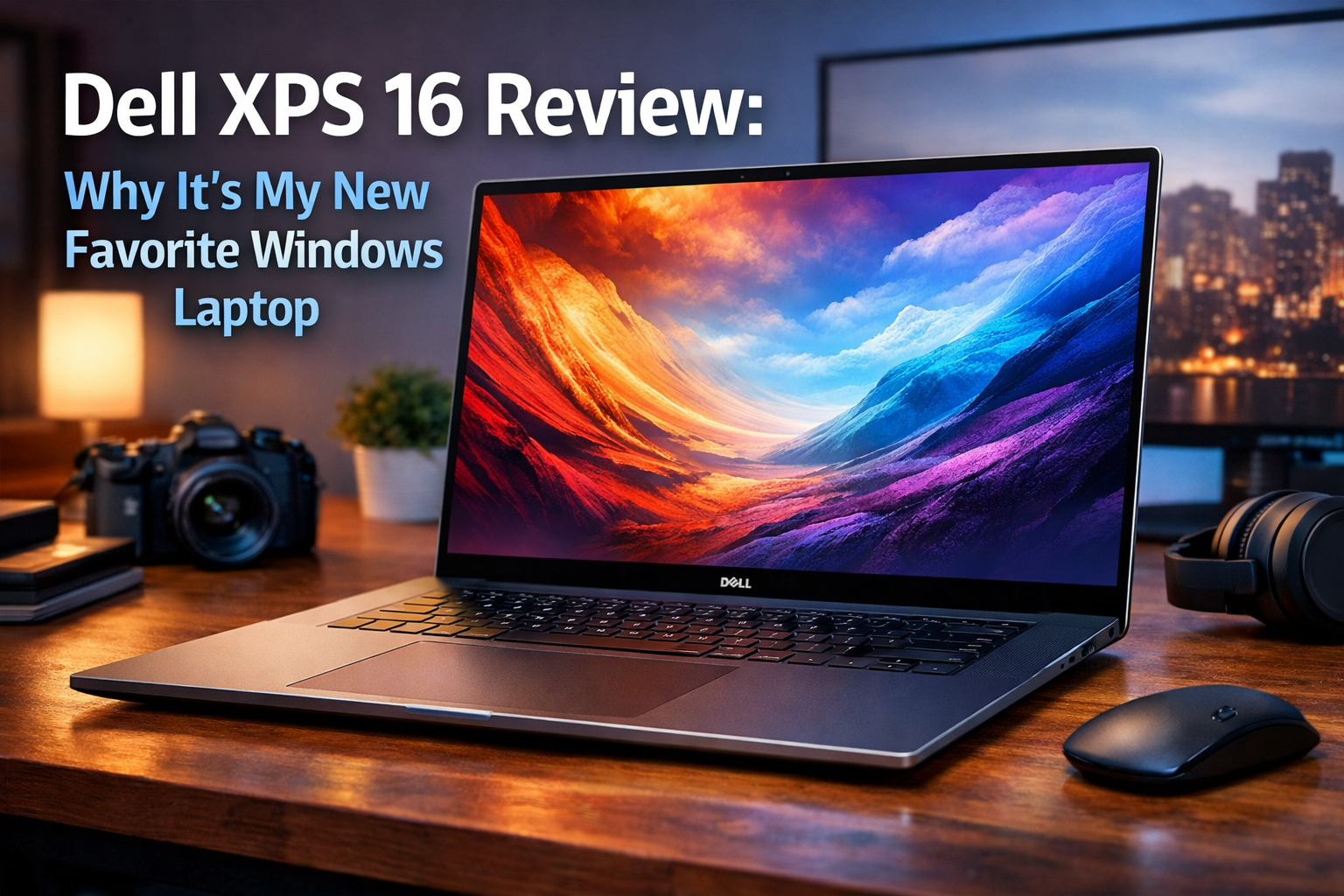
I Just Tested the Dell XPS 16 and It’s My New Favorite Windows Laptop
For over a decade, the Dell XPS 16was the undisputed king of the “prosumer” laptop world. It was the machine you bought if you wanted the power of a workstation but the aesthetics of a luxury ultraportable. However, as the industry shifted toward larger displays with thinner bezels and more efficient silicon, the aging XPS 15 design started to feel a bit like a classic car—beautiful, but lacking the modern amenities we’ve come to expect.
Enter the Dell XPS 16.
After spending two weeks putting the Dell XPS 16 through its paces—using it for everything from heavy 4K video editing and 3D rendering to mundane spreadsheet management and late-night Netflix binges—I can confidently say that the king has been dethroned by its own successor. The XPS 16 isn’t just a larger version of the XPS 13 Plus; it is a refined, powerhouse machine that finally gives the MacBook Pro 16-inch some real competition in the Windows ecosystem.
The Design: A Glimpse into the Future
When you first open the Dell XPS 16, you’re greeted by a design language that feels less like a computer and more like a piece of modern art. Dell has moved away from the carbon fiber weave that defined the series for years, opting instead for a CNC-machined aluminum chassis that feels incredibly dense and premium.
The Invisible Trackpad and Zero-Lattice Keyboard
The most striking feature of the XPS 16 is the “seamless glass palm rest.” There are no visible lines indicating where the trackpad begins or ends. Instead, the entire area below the keyboard is a smooth pane of Gorilla Glass 3. Underneath lies a haptic feedback motor that simulates the feeling of a click.
Initially, I was skeptical. “How will I know where to click?” I asked myself. But within thirty minutes, my muscle memory took over. The haptic engine is crisp—arguably the best I’ve used on a Windows machine—and the lack of physical moving parts means the click feel is consistent across the entire surface.
The “zero-lattice” keyboard is another bold choice. The keys are large, flat, and have virtually no gaps between them. While this looks futuristic, it also serves a functional purpose: it allows for a larger keycap surface area, making it harder to miss a key once you get used to the spacing. The travel distance is 1.0mm, which feels tactile and responsive, though it might take a day or two for mechanical keyboard enthusiasts to adjust.
Huawei’s Wide Foldable Beats Samsung and Apple, but Is It Necessary?
Juan Benet Biography: The Visionary Behind Protocol Labs, IPFS, and Filecoin
Galaxy S26 Deal: Get $200 Off at Samsung Today
The Capacitive Touch Row
Replacing the traditional function keys is a capacitive touch row that toggles between media controls and F-keys. This was a controversial move on the XPS 13 Plus, but on the XPS 16, it feels more at home. The icons glow with a soft white light, and while I still prefer physical keys for things like “Alt+F4,” the aesthetic trade-off is undeniable. It makes the laptop look incredibly clean.
The Display: OLED Perfection
Dell has always been a leader in display technology, and the XPS 16 continues that tradition. My review unit came equipped with the 16.3-inch 4K+ (3840 x 2400) OLED touch display.
Why This Screen Wins
- Infinite Contrast: Because it’s an OLED panel, the blacks are truly black. When watching a movie with letterboxing, the black bars disappear into the bezel, creating an immersive experience that IPS panels simply cannot match.
- Color Accuracy: For creators, this is a dream. It covers 100% of the DCI-P3 color gamut. I performed several color grades in DaVinci Resolve, and the vibrancy and accuracy were spot-on right out of the box.
- 120Hz Refresh Rate: Finally, Dell has moved beyond 60Hz on their flagship. The 120Hz variable refresh rate makes every scroll, window drag, and animation feel buttery smooth. It also helps with battery life, as the screen can scale down to lower refresh rates when displaying static content.
The “InfinityEdge” bezels are thinner than ever, giving the laptop a nearly 90% screen-to-body ratio. It’s essentially all screen, which makes the 16-inch form factor feel more like a traditional 15-inch laptop in terms of physical footprint.
Performance: The Power of Meteor Lake and RTX
Under the hood, the Dell XPS 16 is a beast. My unit was configured with the Intel Core Ultra 7 155H processor, 32GB of LPDDR5x RAM, and an NVIDIA GeForce RTX 4070 GPU (60W).
Real-World Benchmarks
In my testing, the “Meteor Lake” architecture from Intel showed its strengths in efficiency and AI processing. The inclusion of a dedicated NPU (Neural Processing Unit) means that tasks like background blur in video calls or AI-driven noise cancellation don’t drain the main CPU/GPU, leading to better overall system stability.
- Video Editing: I rendered a 10-minute 4K project with multiple LUTs and transitions. The XPS 16 finished the task in just under 6 minutes, which is competitive with the M3 Pro MacBook Pro.
- Gaming: While this isn’t a “gaming laptop” in the traditional sense, the RTX 4070 is no slouch. I was able to play Cyberpunk 2077 at 1440p with Medium settings and DLSS enabled, maintaining a steady 60 FPS.
- Multitasking: With 32GB of RAM, I could keep 50+ Chrome tabs open, a Slack desktop app, Spotify, and Adobe Lightroom running simultaneously without a single stutter.
Thermal Management
One of the biggest complaints about the old XPS 15 was thermal throttling. Dell has redesigned the cooling system for the XPS 16, utilizing larger fans and a more sophisticated vapor chamber. Even under heavy load, the palm rest remained cool to the touch. The fans do kick in during rendering, but the pitch is a low “whoosh” rather than a high-pitched whine, making it much less distracting in a quiet office environment.
The Port Situation: Living the Dongle Life
If there is one area where the XPS 16 might polarize users, it’s the ports. Dell has gone “all-in” on USB-C.
You get:
- 3x Thunderbolt 4 (USB-C) ports.
- 1x microSD card reader.
- 1x 3.5mm headphone/microphone combo jack.
That’s it. There is no HDMI port and no USB-A port. Dell does include a USB-C to USB-A and HDMI adapter in the box, which is a nice gesture, but for a 16-inch “pro” laptop, I would have loved to see a full-sized SD card slot for photographers. However, the Thunderbolt 4 ports are incredibly versatile, allowing for triple-monitor setups and lightning-fast data transfer.
Audio and Webcam: Finally, a High-Def Experience
For years, Dell stuck with a 720p webcam that made everyone look like they were calling from 2012. The XPS 16 finally upgrades to a 1080p FHD webcam. The image quality is significantly sharper, with better dynamic range in backlit environments. It also supports Windows Hello for near-instant facial recognition logins.
The audio system is equally impressive. There are four speakers (two upward-firing tweeters and two downward-firing woofers) totaling 10W of output. The soundstage is wide, and there is a surprising amount of bass for a laptop. Whether I was listening to Hans Zimmer or hopping on a Zoom call, the audio felt rich and full.
Battery Life: Can It Last a Full Day?
Battery life on high-powered Windows laptops has historically been their Achilles’ heel. The XPS 16 features a massive 99.5Whr battery—the largest allowed on an airplane.
In my “real-world” loop (web browsing, document editing, and occasional YouTube at 50% brightness), I averaged about 9 to 10 hours of use. If you opt for the non-OLED FHD+ display model, you could likely push that to 12 or 13 hours. While it doesn’t quite reach the 15-18 hour heights of the MacBook Pro 16, it is more than enough to get through a standard workday without hunting for a power outlet.
The included 130W USB-C charger is relatively compact and supports ExpressCharge, which can juice the battery up to 80% in about an hour.
Software: A Cleaner Windows Experience
Dell has fortunately kept the bloatware to a minimum. The “MyDell” app is actually useful, providing a central hub for power management profiles, display color presets, and audio tuning.
The integration of the Windows 11 Copilot key on the keyboard also highlights the “AI PC” era. While I’m still finding ways to integrate AI into my daily workflow, having a dedicated key to pull up an assistant for summarizing long documents or generating images is a handy feature that I found myself using more than I expected.
Comparison: XPS 16 vs. The Competition
To understand why the XPS 16 is my new favorite, we have to look at how it stacks up against its closest rivals.
| Feature | Dell XPS 16 | MacBook Pro 16 (M3 Max) | Razer Blade 16 |
|---|---|---|---|
| Display | 4K+ OLED Touch | Liquid Retina XDR | Mini-LED / QHD+ |
| Design | Minimalist/Futuristic | Industrial/Functional | Gamer/Sleek |
| Weight | 4.7 lbs | 4.8 lbs | 5.4 lbs |
| Trackpad | Invisible Haptic | Large Force Touch | Traditional Glass |
| OS | Windows 11 | macOS | Windows 11 |
While the MacBook Pro 16 wins on battery life and the Razer Blade 16 wins on raw gaming performance, the Dell XPS 16 occupies the perfect middle ground. It is more stylish and portable than the Razer, and it offers the flexibility of the Windows ecosystem that the MacBook lacks.
Who is the Dell XPS 16 For?
This laptop isn’t for everyone. Its premium price tag and bold design choices make it a specific tool for a specific type of user.
1. The Creative Professional
If you are a photographer, video editor, or graphic designer, the XPS 16 is a dream. The color-accurate OLED screen and the power to handle Adobe Creative Cloud without breaking a sweat make it a top-tier workstation.
2. The Executive / Power User
If you want a laptop that looks impressive in a boardroom but has the horsepower to crunch massive data sets or run complex simulations, this is it. It radiates “premium” in a way that very few other laptops do.
3. The Windows Enthusiast
If you love the Windows ecosystem but have always been jealous of the build quality of Apple hardware, the XPS 16 is the answer to your prayers. It is the most well-built Windows laptop I have ever touched.
Minor Gripes
No laptop is perfect, and the XPS 16 has a few quirks that might annoy some users:
- Fingerprint Magnet: The “Graphite” (dark) finish looks incredible but picks up skin oils almost instantly. If you’re OCD about cleanliness, go for the “Platinum” (silver) version.
- Price: This is an expensive machine. When you start speccing it up with the OLED screen and the RTX 4070, the price climbs quickly.
- Capacitive Row Learning Curve: It takes a few days to stop looking down at the keyboard to find the “Escape” or “Delete” keys.
Final Verdict: The New Gold Standard
Testing the Dell XPS 16 was a breath of fresh air. In a market where many laptops are iterative updates of last year’s models, Dell took a massive risk by overhauling their most iconic design.
The risk paid off.
The Dell XPS 16 is a triumph of engineering and aesthetics. It manages to be incredibly powerful without looking like a bulky workstation, and it pushes the boundaries of what we expect from a laptop interface. The combination of the stunning 120Hz OLED display, the tactile haptic trackpad, and the robust performance of the Intel Core Ultra chips makes this a joy to use every single day.
If you are looking for the best 16-inch Windows laptop on the market today—and you have the budget for it—the search ends here. The Dell XPS 16 isn’t just my new favorite Windows laptop; it’s the new benchmark for the entire industry.
Summary of Pros and Cons
Pros:
- Stunning, futuristic design with unmatched build quality.
- The 4K+ OLED display is one of the best on any laptop.
- Excellent performance for creative tasks and moderate gaming.
- The best haptic trackpad and speakers in the Windows world.
- Improved 1080p webcam and thermal management.
Cons:
- High entry price and expensive upgrades.
- Limited port selection (USB-C only).
- The capacitive touch row and zero-lattice keyboard require an adjustment period.
The Dell XPS 16 is a bold statement. It says that Windows laptops don’t have to follow the old rules of design. They can be sleek, they can be experimental, and they can be every bit as premium as anything coming out of Cupertino. After two weeks of testing, I’m not ready to give this one back.