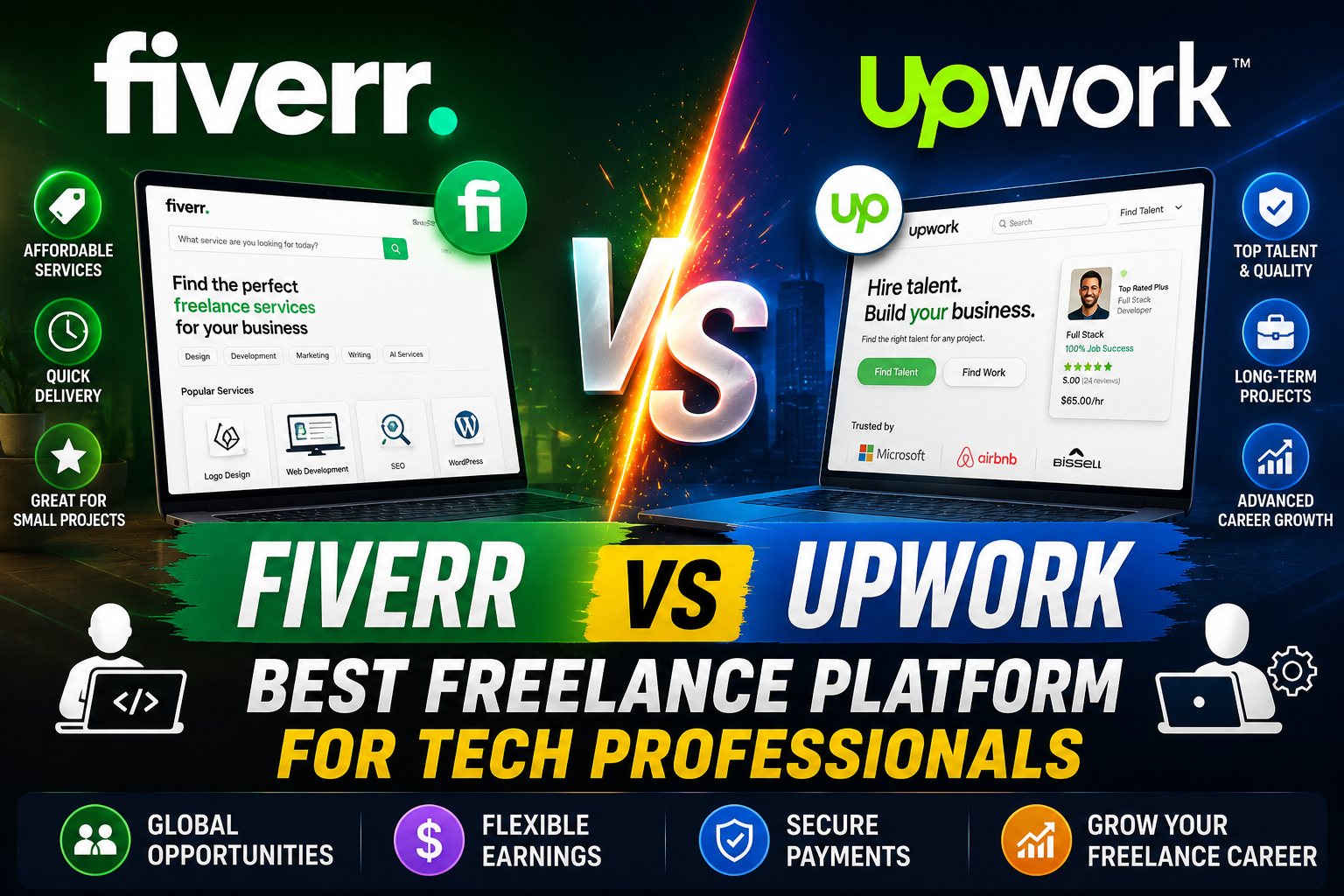
Fiverr vs Upwork: Which Freelance Platform Is Better for Tech Professionals?
The digital landscape has revolutionized the way professionals work, with freelancing emerging as a powerful alternative to traditional employment. For tech professionals – developers, data scientists, cybersecurity experts, UI/UX designers, and more – the allure of flexible hours, diverse projects, and global client access is undeniable. However, navigating the vast world of online freelancing platforms can be daunting. Two giants dominate this space: Fiverr and Upwork. Both offer avenues for tech talent to connect with clients, but their fundamental approaches, fee structures, and typical project types differ significantly.
This comprehensive guide will delve deep into Fiverr and Upwork, dissecting their models, comparing their features, and evaluating their suitability specifically for tech professionals. By the end, you’ll have a clear understanding of which platform aligns best with your career goals, skill set, and preferred working style, or if leveraging both could be your optimal strategy.
Understanding the Core Models
Before diving into the specifics, it’s crucial to grasp the foundational philosophies that define Fiverr and Upwork. These differences dictate everything from how you find work to how you get paid.
Fiverr: The “Gig” Economy
Fiverr operates on a “service-as-a-product” model. Freelancers, referred to as “sellers,” create predefined service packages called “Gigs.” These Gigs are essentially mini-stores where sellers list specific services they offer, complete with pricing, delivery times, and revisions. Buyers then browse these Gigs, much like shopping online, and purchase the service that best fits their needs.
For tech professionals, this often translates to highly specialized, well-defined, and often smaller tasks. Think of it as a menu of services where clients pick what they want.
Key Characteristics:
- Buyer-Centric: Buyers initiate the transaction by purchasing a Gig.
- Productized Services: Freelancers package their skills into specific, pre-priced offerings.
- Focus on Micro-Tasks: Ideal for quick turnarounds and clearly defined deliverables.
- Search-Based: Freelancers optimize their Gigs to appear in buyer search results.
Upwork: The “Project” & “Talent” Marketplace
Upwork, conversely, functions more like a traditional job board and talent agency rolled into one. Clients post detailed job descriptions outlining their project requirements, budget, and desired skills. Freelancers, or “talent,” then submit proposals (bids) to these job postings, explaining why they are the best fit. Clients review proposals, interview candidates, and ultimately hire the freelancer they deem most suitable. Upwork also allows clients to directly invite freelancers to apply for jobs or hire them instantly if they have a “Project Catalog” (similar to Fiverr Gigs, but less central to Upwork’s core model).
Upwork is generally geared towards more complex, custom, and often longer-term projects that require ongoing collaboration and problem-solving.
Key Characteristics:
- Freelancer-Centric (in terms of initiation): Freelancers actively search for jobs and submit proposals.
- Custom Projects: Focus on unique client requirements, often involving multiple stages and iterations.
- Focus on Larger Engagements: Suitable for long-term contracts, full-scale development, or consulting.
- Proposal-Based: Freelancers write tailored proposals for each job.
Onboarding and Profile Setup
Your initial setup on either platform is your first impression and significantly impacts your success.
Fiverr: Crafting Compelling Gigs
Getting started on Fiverr involves creating a seller profile and then publishing your Gigs. The emphasis here is on clarity, specificity, and visual appeal.
For Tech Professionals:
- Niche Down: Instead of “I will do web development,” consider “I will develop a custom WordPress plugin for e-commerce” or “I will write a Python script for data automation.”
- Define Packages: Offer tiered pricing (Basic, Standard, Premium) for your Gigs. For example, a “Basic” package might be a simple bug fix, “Standard” a small feature implementation, and “Premium” a more complex module development.
- Compelling Gig Title & Description: Use keywords clients are likely to search for. Clearly articulate what you offer, what’s included, and what makes your service unique.
- Strong Visuals: A professional Gig image or video can significantly increase clicks. For tech, this could be screenshots of your work, a clean diagram, or a short demo.
- FAQs: Anticipate common questions and provide clear answers to reduce pre-order inquiries and set expectations.
- Requirements: Clearly list what you need from the buyer to start the project (e.g., access credentials, design mockups, specific data files).
The challenge on Fiverr is standing out in a crowded marketplace. Your Gig needs to be discoverable and instantly appealing.
Upwork: Building a Professional Profile and Portfolio
Upwork requires a more comprehensive profile that acts as your professional resume. This is where you showcase your expertise, experience, and past successes.
For Tech Professionals:
- Specialized Titles: Instead of “Developer,” use “Full-Stack JavaScript Developer (React, Node. AWS)” or “Senior Data Scientist (Python, ML, AWS SageMaker).”
- Detailed Overview: Write a compelling summary that highlights your key skills, experience, and the value you bring to clients. Use keywords relevant to your tech niche.
- Skill Tags: Add all relevant technical skills (e.g., Python, Java, AWS, Azure, Docker, Kubernetes, SQL, NoSQL, React, Angular, Vue, Django, Spring Boot, etc.).
- Portfolio: This is critical. Showcase actual projects with descriptions, technologies used, and results. For developers, link to GitHub repos, live demos, or screenshots. For data scientists, share Jupyter notebooks or visualizations.
- Work History & Education: Detail your professional experience, highlighting tech-specific achievements and responsibilities.
- Certifications: Add any relevant certifications (e.g., AWS Certified Developer, Google Cloud Professional Architect, Microsoft Certified Azure Administrator).
- Video Introduction (Optional but Recommended): A short video can help clients connect with you personally and demonstrate communication skills.
Upwork’s profile is designed to give clients a holistic view of your capabilities, much like a traditional job application.
Finding Work: How Opportunities Arise
The process of securing projects is fundamentally different on each platform.
Fiverr: The Buyer-Initiated Search
On Fiverr, you primarily wait for clients to find your Gigs. Success here hinges on your Gig’s visibility and appeal.
How it Works:
- SEO Optimization: Your Gig title, description, and tags need to be optimized for relevant keywords.
- Fiverr Algorithm: The platform’s algorithm promotes Gigs based on performance (response time, order completion, ratings) and relevance.
- Buyer Requests: Freelancers can also browse “Buyer Requests” where clients post specific needs. This is a more proactive way to find work on Fiverr, allowing you to submit custom offers. For tech, these might be requests for a specific script, a bug fix, or a small integration.
- Gig Extras & Custom Offers: Once a buyer is interested, you can offer “Gig Extras” (upsells) or create custom offers for projects that don’t perfectly fit your standard Gigs.
The initial phase on Fiverr can be slow as you build reviews and gain visibility. Consistent delivery and excellent customer service are key to climbing the ranks.
Upwork: The Proactive Proposal & Client Invites
Upwork requires a more proactive approach, where you actively seek out and apply for jobs.
How it Works:
- Job Feed: You browse a personalized job feed based on your skills and preferences.
- Connects System: To submit a proposal, you need “Connects,” Upwork’s virtual currency. The number of Connects required varies per job (typically 2-6). You get a limited number of free Connects each month, and can purchase more.
- Tailored Proposals: Each proposal should be customized to the client’s job description. This is where you demonstrate your understanding of their needs and explain how your specific tech skills will solve their problem.
- Portfolio & Work Samples: Always link to relevant portfolio items or code samples within your proposal.
- Client Invites: As you build a strong profile and track record, clients may directly invite you to apply for their jobs, bypassing the general application pool. This is a strong indicator of success on Upwork.
- Project Catalog: You can also create “Project Catalog” items, which are pre-packaged services similar to Fiverr Gigs. While not the primary way to find work, they can provide passive income.
The proposal writing process on Upwork is time-consuming but allows for a more personalized approach to client acquisition.
Pricing, Earnings, and Fees
Understanding the financial models is crucial for maximizing your income.
Fiverr’s Fixed-Price Model & 20% Cut
Fiverr primarily operates on a fixed-price model for Gigs. You set the price for your service packages.
Key Aspects:
- Fixed Prices: Gigs start at $5 (hence “Fiverr”), but tech services typically range from $50 to hundreds or even thousands for complex packages.
- Gig Extras: You can upsell additional services (e.g., faster delivery, extra revisions, source code, additional features).
- 20% Commission: Fiverr takes a flat 20% commission from the freelancer on every transaction. So, if you charge $100, you receive $80.
- Payment Processing: Payments are held by Fiverr for a clearance period (typically 7-14 days) before they become available for withdrawal.
- Withdrawal Fees: Various methods (PayPal, Payoneer, bank transfer) have their own fees.
Fiverr can be excellent for high-volume, quick tasks, allowing you to stack multiple small orders. However, the 20% fee is consistent regardless of earnings.
Upwork’s Hourly & Fixed-Price, Tiered Fees
Upwork offers both hourly and fixed-price contracts, providing flexibility for different project types.
Key Aspects:
- Hourly Contracts: Freelancers track time using Upwork’s desktop app, which takes screenshots and logs activity. This provides transparency and protects both parties.
- Fixed-Price Contracts: Clients deposit funds into escrow at project milestones. Funds are released upon milestone approval.
- Tiered Commission: Upwork’s fee structure is tiered based on your lifetime billings with a specific client:
- 20% for the first $500 billed with a client.
- 10% for billings between $500.01 and $10,000 with the same client.
- 5% for billings over $10,000 with the same client.
- Payment Protection: For hourly contracts, Upwork’s Work Protection ensures you get paid for verified time. For fixed-price, escrow protects funds.
- Withdrawal Fees: Similar to Fiverr, various withdrawal methods incur fees.
Upwork’s tiered fee structure rewards long-term client relationships, making it more attractive for high-value, ongoing tech projects.
Communication, Collaboration, and Project Management
Effective communication and seamless collaboration are vital for tech projects. Both platforms offer tools, but with different levels of sophistication.
Fiverr’s Streamlined Interaction
Fiverr’s communication tools are designed for efficiency and clarity, fitting its micro-task model.
Features:
- Order Page: The primary hub for communication, file sharing, and status updates related to a specific Gig.
- Inbox: For pre-order inquiries and general messages.
- Deliveries: Clear system for submitting work and requesting revisions.
- Limited External Communication: Fiverr discourages communication outside the platform to maintain transaction security and enforce its policies.
Fiverr’s tools are sufficient for straightforward tasks, but might feel restrictive for complex, iterative tech projects requiring deep collaboration.
Software Engineering vs DevOps: 2 Best Paths for Outstanding Growth
AI Prompt Engineer vs Blockchain Developer: 7 Best Remote Career Paths
Upwork’s Comprehensive Workspace
Upwork provides a more robust suite of tools tailored for ongoing, complex projects.
Features:
- Workroom: A dedicated space for each contract, featuring messaging, file sharing, video calls, and a contract overview.
- Time Tracker (for hourly contracts): The desktop app logs hours, takes screenshots, and records activity, providing detailed work diaries.
- Milestones (for fixed-price contracts): Allows breaking down projects into manageable stages with associated payments.
- Reporting: Detailed reports on earnings, hours worked, and client feedback.
- External Communication (with client consent): While Upwork prefers on-platform communication, it’s generally more flexible about external channels (e.g., Slack, Jira, Trello) once a contract is established, especially for long-term engagements. However, initial communication and payment must remain on Upwork.
Upwork’s tools are better suited for managing the complexities of software development, data analysis, or long-term consulting projects.
Payment Protection and Dispute Resolution
Both platforms offer mechanisms to protect freelancers and clients, but their approaches reflect their core models.
Fiverr’s Order System
Fiverr’s protection is built around its structured “order” system.
How it Works:
- Pre-Payment: Buyers pay upfront, and funds are held by Fiverr until the order is completed and approved.
- Revision Cycles: Gigs usually include a set number of revisions.
- Dispute Resolution: If a dispute arises (e.g., buyer claims work isn’t as described, seller claims scope creep), both parties can engage Fiverr’s support team to mediate. Fiverr’s decision is usually final.
- No Partial Payments: Unless specified in a custom offer, payment is typically for the entire Gig.
For tech professionals, this means ensuring your Gig description is extremely clear to avoid scope creep, as it can be harder to charge for extra work once an order is placed without a custom offer.
Upwork’s Escrow and Time Tracker
Upwork’s protection is more nuanced, especially for hourly contracts.
How it Works:
- Escrow for Fixed-Price: Clients deposit funds into escrow for each milestone. Funds are released only when the freelancer delivers the work and the client approves it (or after a grace period if no action is taken).
- Work Protection for Hourly: If you use the Upwork Time Tracker correctly (logging hours, taking screenshots), you are protected for those hours, even if the client disputes them.
- Dispute Resolution: Upwork offers a formal dispute resolution process, including mediation and arbitration, for both hourly and fixed-price contracts. This can be more involved but also more structured than Fiverr’s.
- Client Verification: Upwork encourages clients to verify their payment methods, adding an extra layer of security.
Upwork’s systems provide robust protection for tech professionals, especially for long-term or complex projects where disputes over hours or milestones are more likely.
Suitability for Different Tech Roles
Let’s break down which platform might be better suited for specific tech specializations.
Web Development (Front-end, Back-end, Full-stack)
- Fiverr: Excellent for specific, smaller tasks:
- Front-end: “I will create a responsive landing page with React,” “I will fix CSS issues on your website,” “I will implement a specific JavaScript animation.”
- Back-end: “I will set up a REST API endpoint in Node.js,” “I will fix a bug in your PHP script,” “I will integrate a third-party API.”
- WordPress/CMS: “I will customize your WordPress theme,” “I will install and configure a WooCommerce plugin,” “I will migrate your website.”
- Upwork: Ideal for larger, custom, and ongoing projects:
- Full-stack: “Build a custom e-commerce platform from scratch,” “Develop a SaaS application with a microservices architecture,” “Long-term maintenance and feature development for an existing web application.”
- Specialized Frameworks: “Senior Angular developer needed for enterprise application,” “Django expert for complex web portal.”
Mobile App Development
- Fiverr: Good for specific components or minor updates:
- “I will fix a bug in your iOS Swift app,” “I will integrate a specific SDK (e.g., payment gateway) into your Android app,” “I will create a simple splash screen for your app.”
- Upwork: Best for full-cycle app development:
- “Develop a cross-platform mobile app (React Native/Flutter) for a startup,” “Native iOS/Android app development with backend integration,” “Ongoing maintenance and feature additions for an existing app.”
Data Science & Analytics
- Fiverr: Useful for well-defined data tasks:
- “I will perform exploratory data analysis on your dataset,” “I will create a Python script for data cleaning,” “I will build a simple machine learning model for classification.”
- “I will create a basic Power BI/Tableau dashboard.”
- Upwork: Superior for complex analysis, modeling, and strategic roles:
- “Develop and deploy a predictive analytics solution,” “Build a recommendation engine,” “Data pipeline development and optimization,” “Long-term data strategy consulting,” “Advanced machine learning research.”
DevOps & Cloud Engineering
- Fiverr: Limited, but possible for very specific, small tasks:
- “I will set up a basic CI/CD pipeline in GitHub Actions,” “I will configure a simple AWS EC2 instance,” “I will write a Dockerfile for your application.”
- Upwork: Highly suitable for complex infrastructure, automation, and consulting:
- “Design and implement a scalable AWS/Azure/GCP cloud architecture,” “Automate infrastructure provisioning with Terraform/Ansible,” “Implement Kubernetes cluster management,” “DevOps consulting for continuous delivery.”
Cybersecurity & IT Support
- Fiverr: Niche services for basic security or quick fixes:
- “I will perform a basic vulnerability scan on your website,” “I will secure your WordPress site,” “I will remove malware from your PC.”
- Upwork: Better for comprehensive security audits, penetration testing, and ongoing support:
- “Conduct a full penetration test for a web application,” “Implement enterprise-level security protocols,” “Provide ongoing IT support and network administration,” “Develop security policies and compliance frameworks.”
Technical Writing & QA
- Fiverr: Excellent for specific documentation or test cases:
- “I will write user manuals for your software,” “I will create API documentation,” “I will write test cases for a specific feature,” “I will perform basic manual testing.”
- Upwork: Ideal for comprehensive documentation projects and long-term QA roles:
- “Develop a complete documentation suite for a new software product,” “Establish and manage a QA process for a development team,” “Automated testing framework development (Selenium, Cypress),” “Technical content strategy.”
Pros and Cons for Tech Professionals
Let’s summarize the advantages and disadvantages of each platform from a tech professional’s perspective.
The Fiverr Advantage
- Passive Lead Generation: Once your Gigs are set up, clients come to you. This frees up time from active prospecting.
- Quick Income: Ideal for earning money quickly through small, fast-turnaround tasks.
- Niche Specialization: Encourages hyper-specialization, allowing you to become the go-to expert for a very specific tech service.
- Portfolio Building: A great way to build a diverse portfolio with many completed projects and reviews, especially for new freelancers.
- Low Barrier to Entry: Easier to get started and secure initial orders compared to the competitive proposal process on Upwork.
- Test New Services: You can easily create a Gig to test market demand for a new tech skill or service.
The Upwork Edge
- Higher Project Value: Generally attracts larger, more complex projects with higher budgets.
- Long-Term Relationships: The tiered fee structure and project nature encourage and reward ongoing client relationships.
- Direct Client Interaction: More opportunities for direct communication, negotiation, and deep collaboration.
- Professional Branding: A well-crafted Upwork profile and successful track record can serve as a powerful professional brand.
- Scope for Growth: Offers more opportunities for professional development, taking on challenging projects, and expanding your skill set.
- Flexibility in Pricing: Ability to charge hourly or fixed-price, adapting to project needs.
Fiverr’s Drawbacks
- Price Competition: Intense competition, especially for generic tech services, can drive prices down.
- Commoditization of Skills: Your unique tech skills can be viewed as a commodity, making it harder to charge premium rates.
- Less Long-Term Work: Primarily focused on one-off tasks